Your login, your browser
You log in yourself, once, in a browser window it opens, with single sign-on and two-factor if your site uses them. It never sees your password, and needs nothing installed in Moodle.
Students stay anonymous
The AI sees other people as aliases such as A-7KQ2XM, never their names. Only you can turn an alias back into a name, on your own computer.
You set the limits
Only a teacher's or a student's tools, only reading, only building content: the agent can narrow its limits, never widen them. It asks before changing anything.
For teachers
Grade with your rubrics, build quizzes from your questions, answer the forum, follow who's falling behind, create pages with your images.
For students
Know what's due across your courses, turn the course's notes into study sheets, review your quizzes and understand your mistakes.
Claude, Codex and more
Works with Claude Code, Claude Desktop, Codex, agents built on agent-kit and any app that supports MCP, on Windows, macOS and Linux, with Moodle 4.5 and 5.x.
Ask in your own words
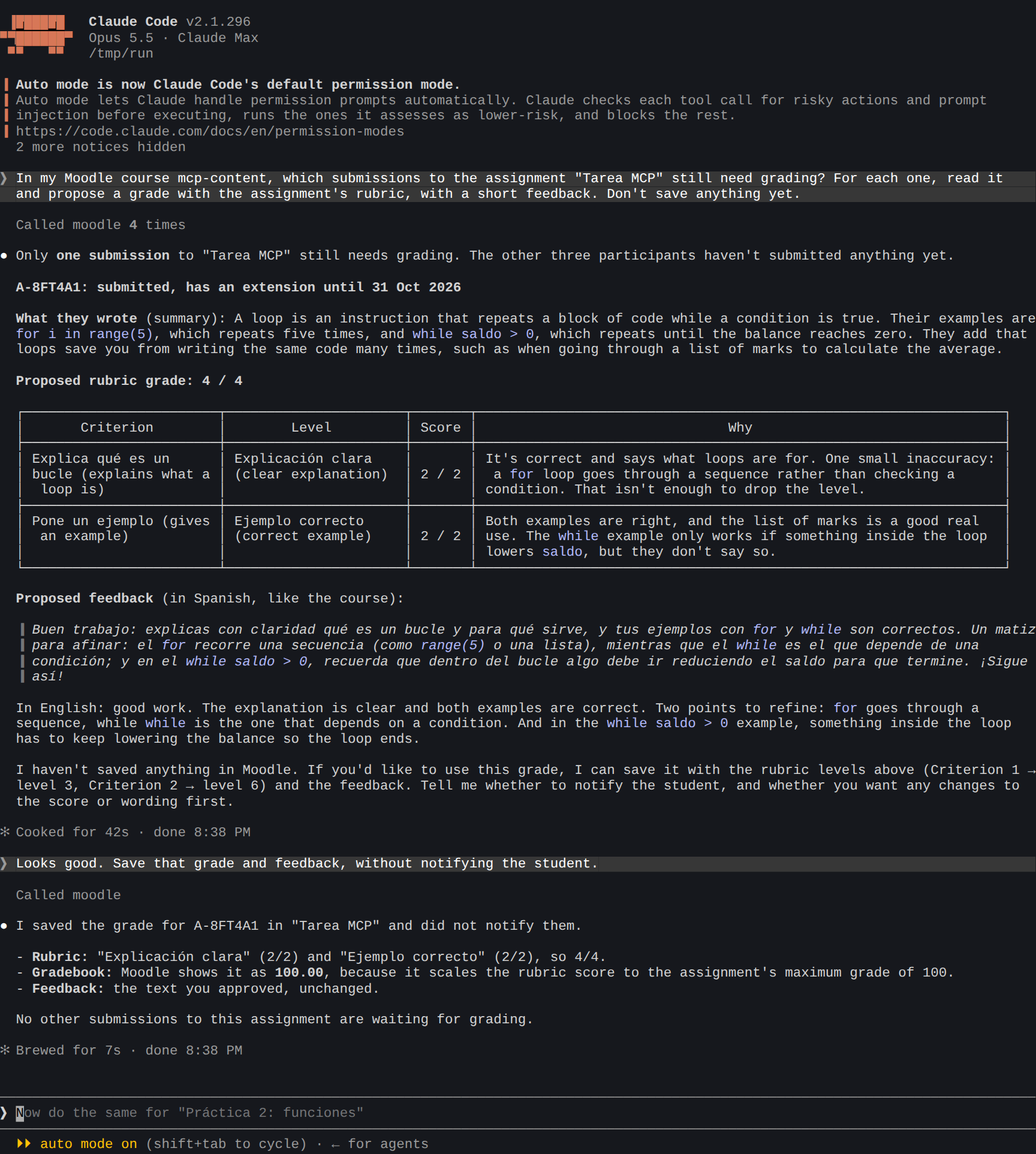
A real session: Claude Code finds what needs grading, proposes a grade with the rubric, and saves it once you agree.
The manual
Getting started
What you need, each app step by step, and your first login.
Use cases
Real sessions of a teacher and a student, with what to ask.
Students' privacy
Aliases, what the AI sees, and turning an alias into a name.
Limits
Role, read only, scopes, advanced tools and confirmations.
Settings
Every setting in detail, and where it goes in each app.
Several sites
Your school's and your university's Moodle, and copying between them.
Tools
Every tool the agent gets, with its inputs.
Troubleshooting
When it doesn't start, doesn't log in or doesn't find something.
For developers
How it's built, tested and released.