Students' privacy
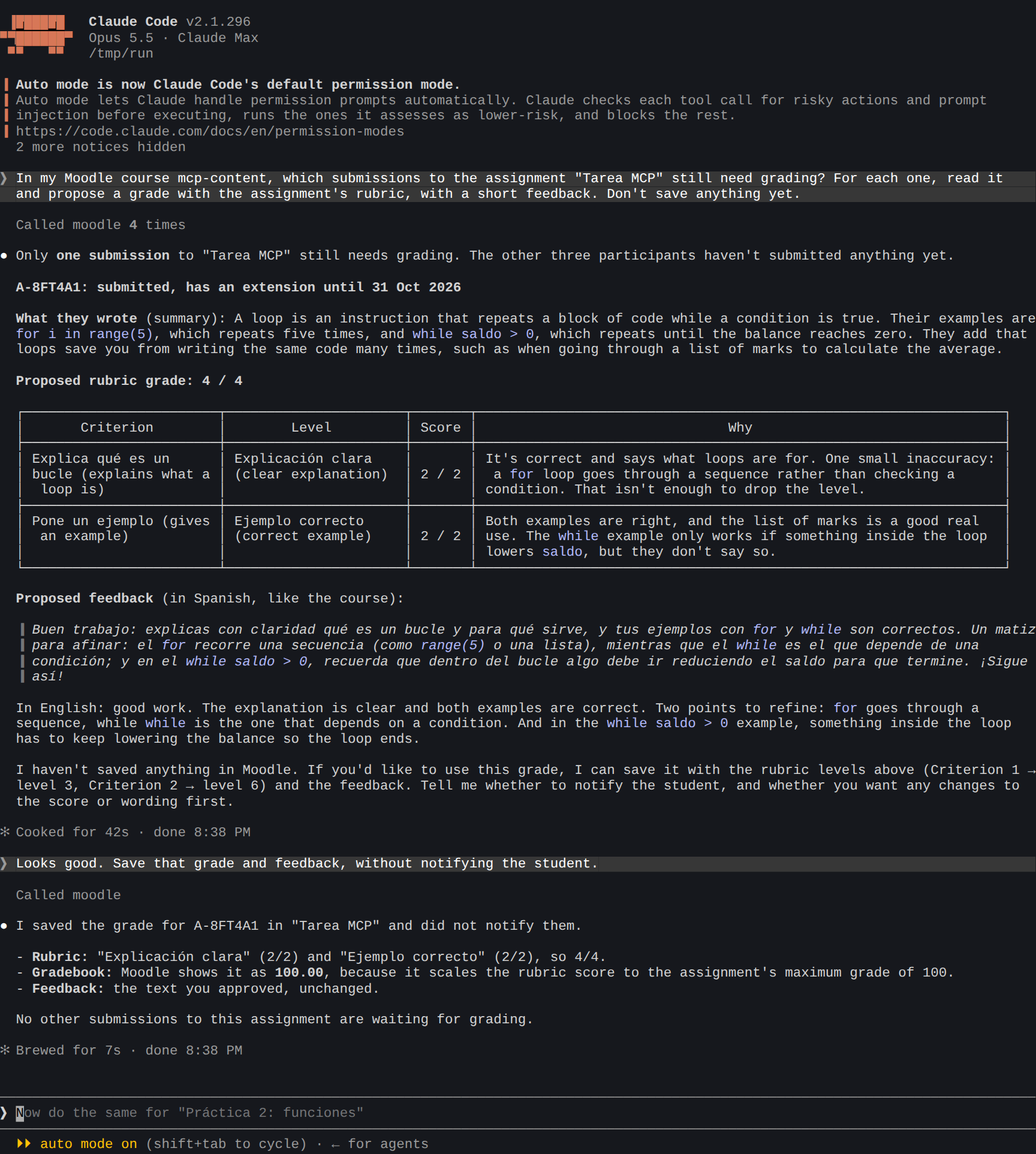
When an AI agent reads a course, it reads about people: who submitted, what they wrote, their grades, their forum posts. With moodle-mcp, by default, the AI never learns their names. It sees each person as an alias such as A-7KQ2XM, and only you can turn it back into a name, on your computer.
The three levels
One setting decides what the AI gets about other people (students and colleagues): MOODLE_MCP_STUDENT_DATA. Only you set it, in your AI app's configuration. The agent can make it stricter for a session, never looser.
| Level | What the AI gets | Use it… |
|---|---|---|
pseudonymize (default) | People as aliases, never their names or Moodle ids. Names, emails, phone numbers, ID card numbers (DNI/NIE) and bank accounts (IBAN) in what they wrote are replaced. | With any AI, including cloud ones like Claude and Codex |
block | No tool that reads other people's data or decides about them. Only course content, overall figures and your own data. | When students' data must not reach the AI at all |
clear | Names as Moodle shows them (never emails or profile fields) | Only with an AI model that runs on your own computer |
For example, to block students' data completely in Claude Code:
$ claude mcp add moodle -e MOODLE_URL=https://campus.example.org -e MOODLE_MCP_STUDENT_DATA=block -- npx -y @falkenslab/moodle-mcp
Aliases
Each person always gets the same alias, in every course and every session. So the agent can tell you "A-7KQ2XM hasn't submitted", you can write it down, and it still means the same student next week.
To see who an alias is, run this in your own terminal (not through the agent):
$ npx @falkenslab/pseudonym whois A-7KQ2XM
To turn every alias in a text back into names, for example notes the agent wrote for you:
$ npx @falkenslab/pseudonym reveal notes.md
Where aliases come from
Aliases come from a secret key on your computer, together with a list of the people met so far. They're in %APPDATA%\pseudonym on Windows and ~/.config/pseudonym on macOS and Linux, and they're never sent anywhere.
-
Back up the key. If it's lost, every alias changes, and your notes no longer match anyone:
npx @falkenslab/pseudonym key export -
Keep the agent away from it. An agent that can read that folder or run the
pseudonymcommand could look aliases up. In Claude Code, deny both in your settings (~/.claude/settings.json):{"permissions": {"deny": ["Read(~/.config/pseudonym/**)", "Read(~/AppData/Roaming/pseudonym/**)", "Bash(pseudonym:*)", "Bash(npx @falkenslab/pseudonym:*)"]}}
What to know about pseudonymize
- It covers every tool, errors included. Besides what each tool does, everything a tool returns goes through the same filter on its way to the AI.
- It's pseudonymization, not anonymity. What people write about themselves can still identify them. Street addresses, dates of birth and the names of people moodle-mcp hasn't met yet aren't detected in free text.
- Students never see aliases. If the agent writes an alias in feedback, a forum post or a message, moodle-mcp refuses to send it, since the student would read it as is. The agent addresses the student as "you" instead.
- Some things need
clear, because their content can't be filtered: files that other people submitted, a grades export, a course backup with its users, and screenshots of pages about people. Underpseudonymize, the agent can't open them. - Going back doesn't make the AI forget. If you switch from
cleartopseudonymize, names the AI already saw may remain in your AI app's history or memory. Useclearonly in a separate configuration, never shared with a cloud AI.
What moodle-mcp never does
- It never stores or sends your password: you log in yourself.
- It never sends anything to anyone except your Moodle site. The only thing that reaches the AI is what the tools return.
- Course logs never include IP addresses, at any level.