An end-of-unit survey
Claude Code · as a teacher · default settings
The agent creates an anonymous feedback activity with the questions you describe, choosing for each the kind of question Moodle needs: a rating, a choice, an open answer.
What you ask
In my Moodle course mcp-content, create a hidden, anonymous feedback activity called "How was unit 1?" at the end of the first section, with three questions: how clear the unit was, from 1 to 5; which activity helped most (the notes, the quiz or the forum); and an open one for suggestions. Tell me what you'll create first.
Then:
Yes, create it.
The session
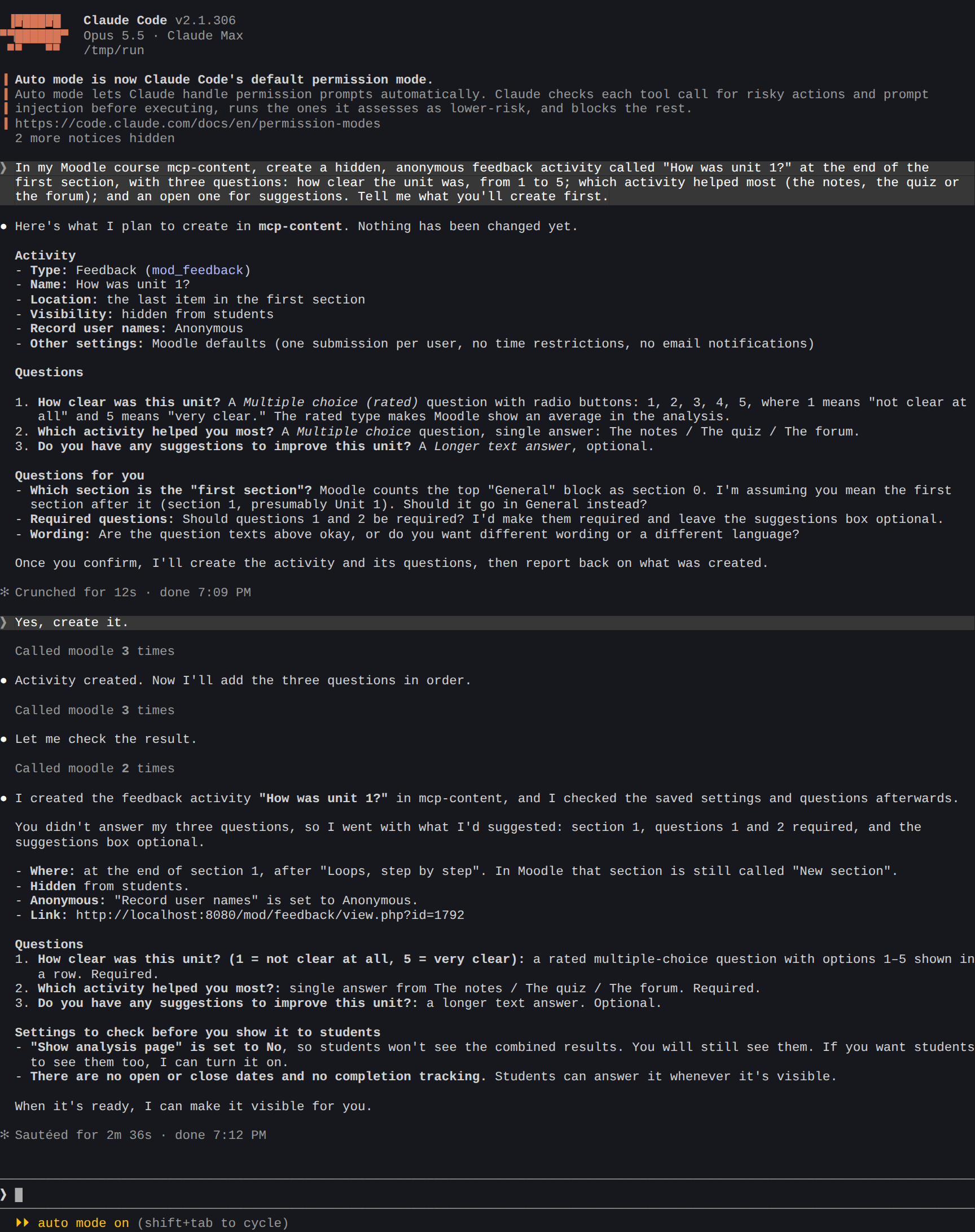
What the agent did:
- Described what it would create: a hidden feedback activity with names not recorded, the 1-to-5 question as a rated multiple choice (so Moodle's analysis shows the average), a single-answer choice and a longer text answer. It asked which section you meant and whether the questions should be required, and changed nothing.
- Created the activity when you agreed, at the end of section 1, hidden and anonymous.
- Added the three questions in order. You hadn't answered its questions, so it went with what it had proposed and said so: the first two required, the suggestions optional.
- Read the settings and questions back, and pointed out what to check before showing it: students won't see the results' analysis, and there are no open or close dates.
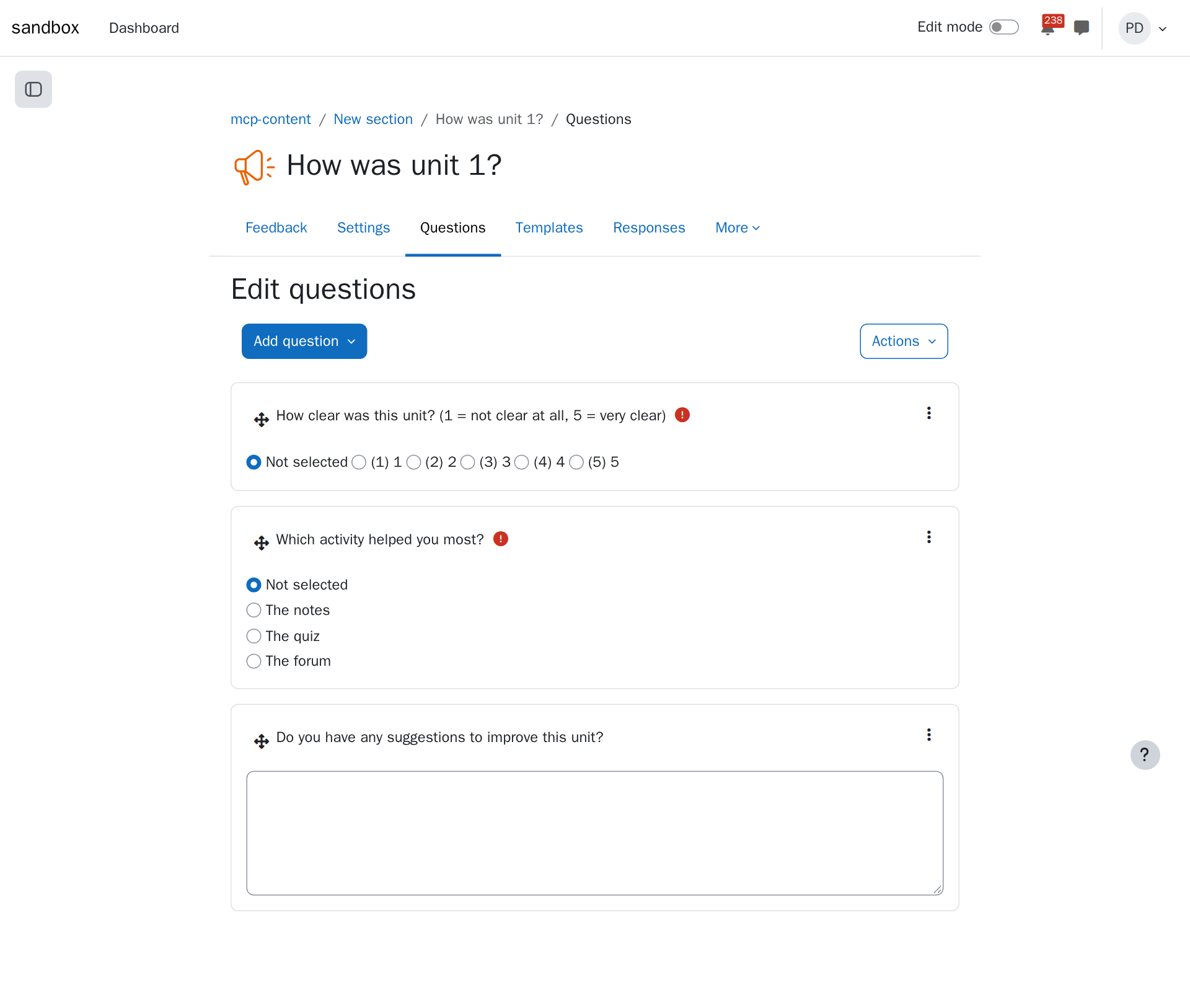
The result in Moodle
Tips
- Answer the agent's questions, or tell it to go with its proposal: it says what it chose either way.
- Dates and completion go in the same request: "open from Monday to Friday", "completed when submitted".
- Reuse it: "save it as a template" keeps the questions for the next unit's survey.