A lesson from your notes
Claude Code · as a teacher · default settings
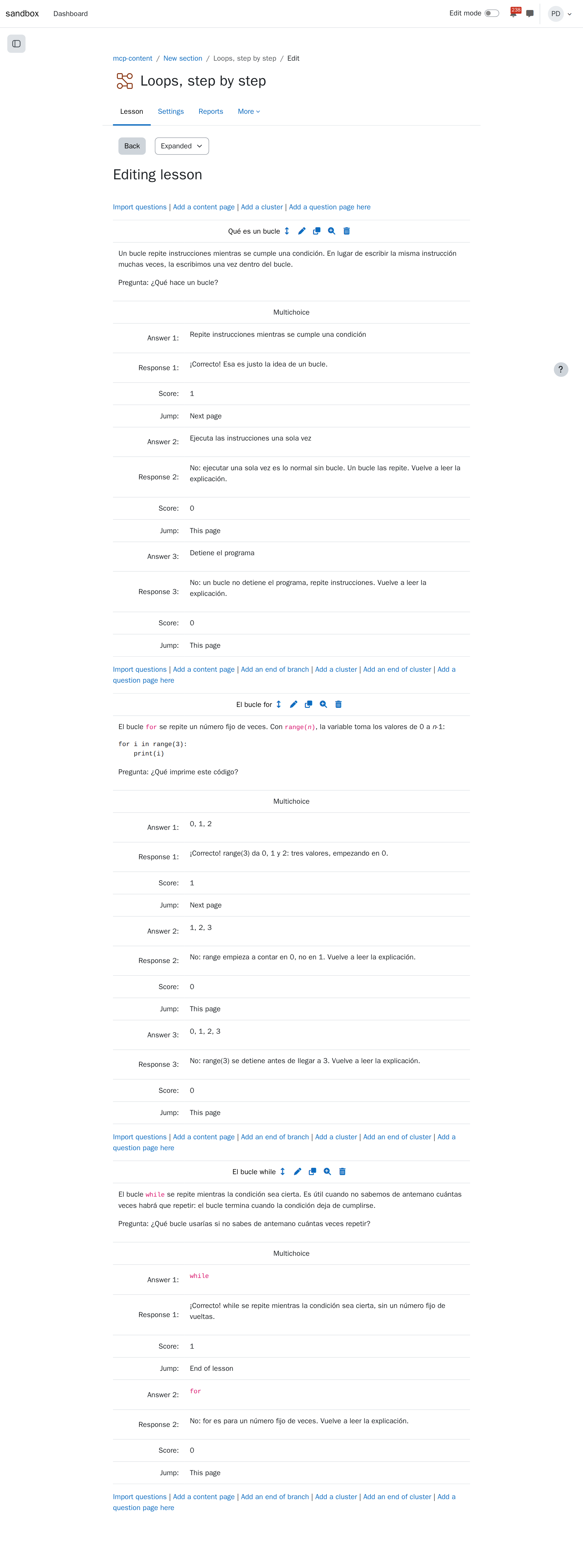
The agent turns a page of notes into a Moodle lesson: one page per idea, each ending with a question, where a right answer moves on and a wrong one sends the student back to reread.
What you ask
In my Moodle course mcp-content, turn the page "Apuntes: bucles" into a short hidden lesson called "Loops, step by step" in the first section: one page per idea, each ending with a question; a right answer moves on to the next page, a wrong one goes back to the page that explains it. Tell me the plan before creating anything.
Then, after reading the plan:
Looks good, create it.
The session
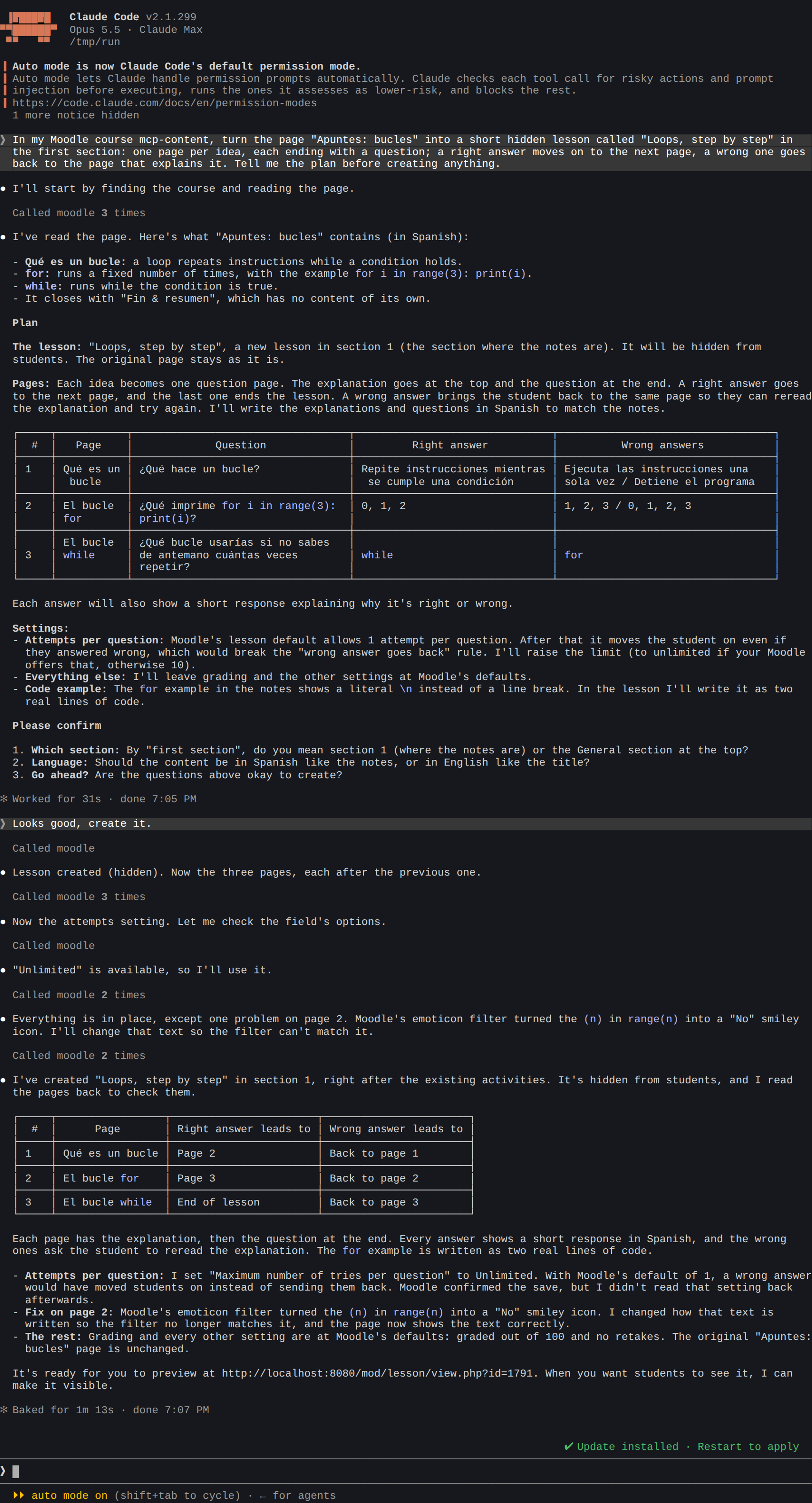
What the agent did:
- Read the notes and found three ideas in them: what a loop is, the
forloop with its example, and thewhileloop. - Proposed a plan before changing anything: one question page per idea, with the question, the right answer and the wrong ones in a table. It noticed that Moodle's lesson allows one try per question by default, which would move a student on after a wrong answer, and offered to allow unlimited tries.
- Created the hidden lesson and its three pages once you agreed, each answer with a short response and its jump: the next page, or back to the same page.
- Set the tries to unlimited, after checking that the setting offers that value.
- Read the pages back and found that Moodle's emoticon filter had turned the
(n)inrange(n)into a smiley; it rewrote that text so the filter leaves it alone.
The result in Moodle
Tips
- Say how it should branch. "A wrong answer goes back", "a wrong answer goes to an extra explanation", "end of lesson after the last question": the agent sets each answer's jump.
- Content pages too. Ask for "a content page before each question" and the explanation and the question go on separate pages.
- Grade or practice. A lesson is graded out of 100 by default; say "a practice lesson, without a grade" if you'd rather.
- Try it as a student before showing it: open its link in Moodle's preview, or ask the agent to make it visible when you're ready.