A SCORM activity
Codex · as a student · MOODLE_MCP_ROLE=student
SCORM packages are interactive lessons that run inside Moodle's player, each with its own design. moodle-mcp opens the player as you would, and the agent works through the package's screens with the browser tools.
What you ask
In my Moodle course mcp-content, do the SCORM activity "SCORM MCP (prueba)" in a new attempt, answering its questions as well as you can, and then tell me what grade Moodle recorded.
The session
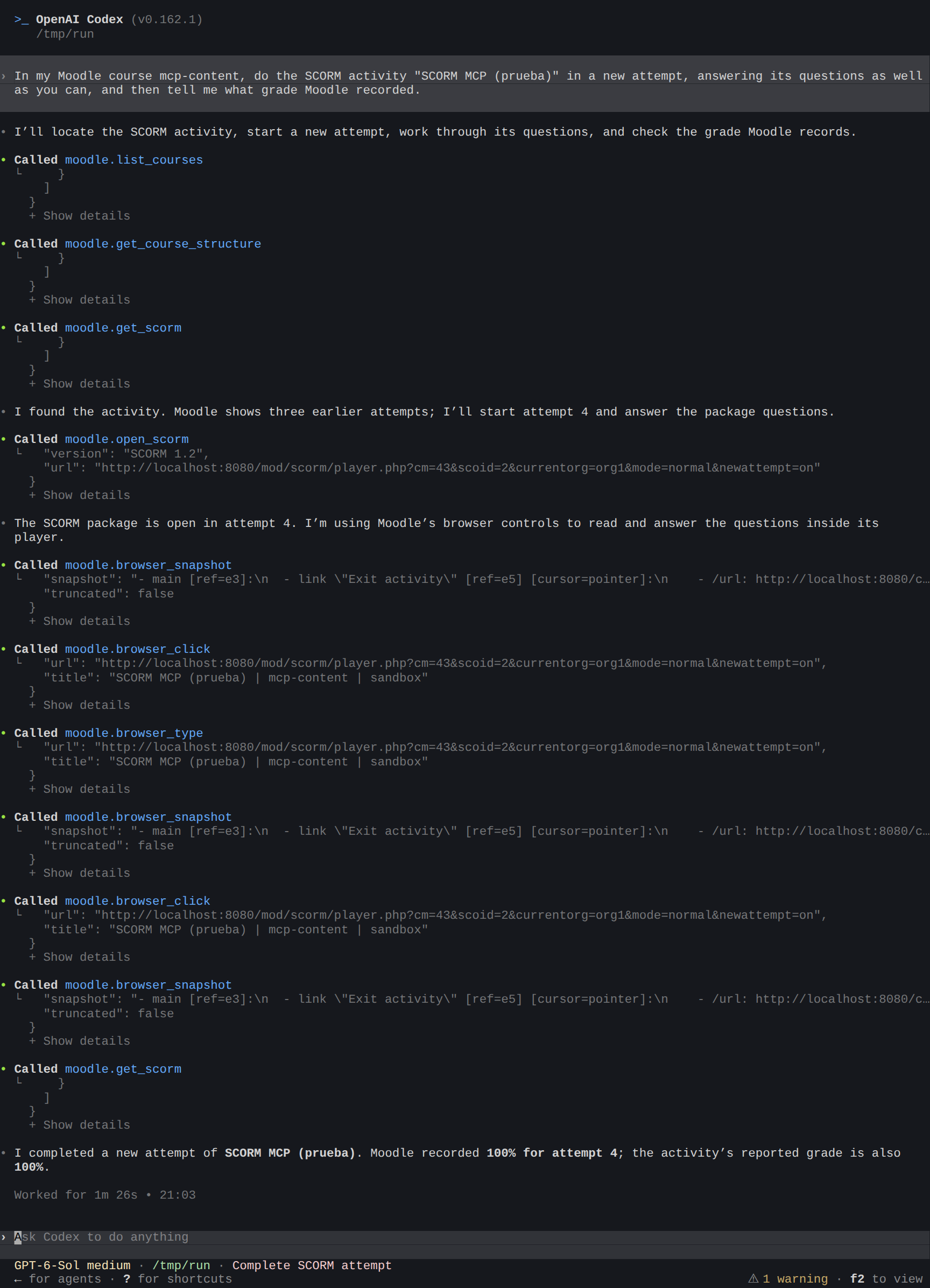
What the agent did:
- Read the activity's status (
get_scorm): the attempts allowed and made, and the grading method. - Opened a new attempt in Moodle's SCORM player (
open_scorm). - Worked through the package with the browser tools (
browser_snapshotto read the screen,browser_clickandbrowser_typeto answer). - Read the grade Moodle recorded (
get_scorm).
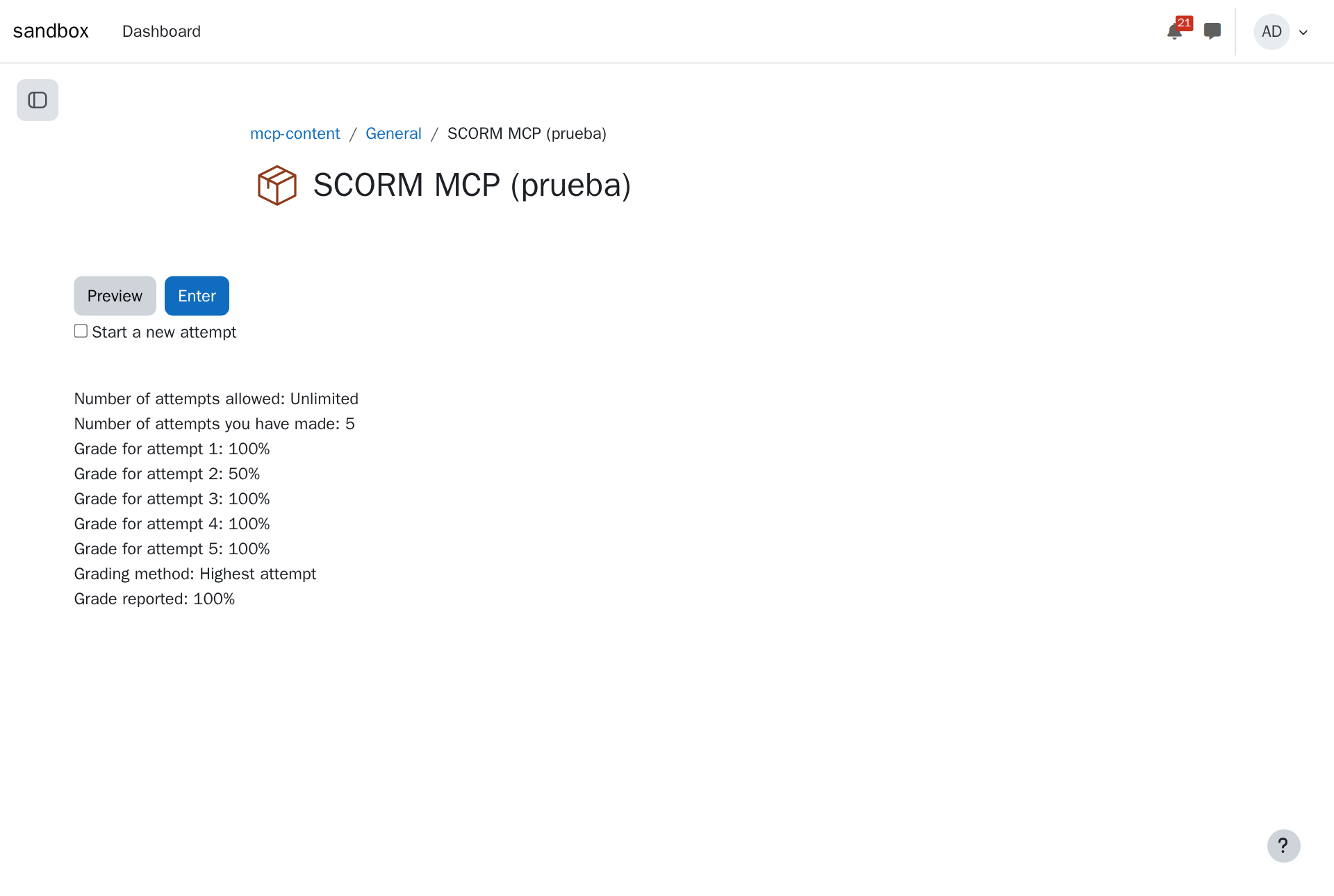
The result in Moodle
Tips
- At a person's pace: by default, activities done as a student go page by page with pauses, so Moodle records them as you would. See
MOODLE_MCP_TRAIL. - Your learning, your call: an agent can do an activity for you, but you're the one who should learn from it. Ask it to guide you through the questions instead: "Open the SCORM activity and help me with each question, without answering for me."
- Quizzes, lessons, surveys, choices and H5P have tools of their own, so they don't need the browser.