A read-only assistant
Claude Code · as a teacher · MOODLE_MCP_ROLE=teacher, MOODLE_MCP_ACCESS=read
Some days you want an assistant that tells you how your courses are going and can't change anything, even by mistake. Read-only access leaves out every tool that changes Moodle: the agent can read submissions, grades and forums, but can't grade, post or edit.
Setting it up
Add moodle-mcp a second time, as a read-only teacher's assistant:
$ claude mcp add moodle-read -e MOODLE_URL=https://campus.example.org -e MOODLE_MCP_ROLE=teacher -e MOODLE_MCP_ACCESS=read -- npx -y @falkenslab/moodle-mcp
It gets 86 tools instead of 235. See Limiting the agent.
What you ask
Give me a quick overview of how my Moodle course mcp-content is going: submissions to grade, the gradebook, and forum activity. Then grade the pending submission of "Tarea MCP" with a 10.
The session
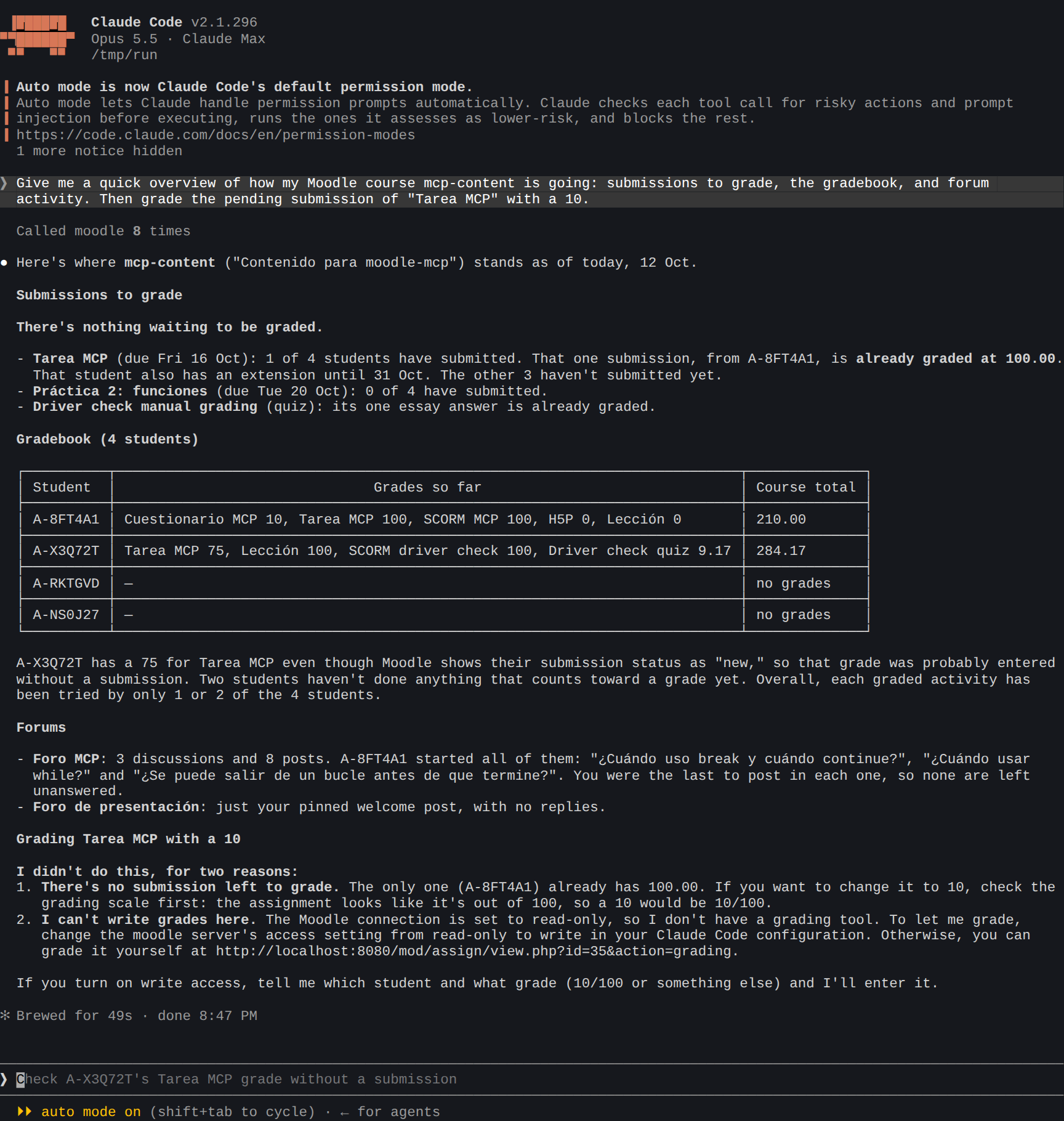
What the agent did:
- Read the assignments, the submissions, the gradebook and the forums (
list_assignments,get_submissions,get_grader_report,list_discussions). - Summarized the course, with students as aliases, including a detail worth checking: a grade entered by hand without a submission.
- Didn't grade: there's no grading tool in a read-only connection, and it said so. It also noticed that the only submission was already graded, and that a 10 on that assignment would mean 10 out of 100.
Nothing changed in Moodle.
Tips
- Block students' data too (
MOODLE_MCP_STUDENT_DATA=block) for an assistant that only sees course content and overall figures. - Weekly check-ins: "Summarize what happened in my courses this week: new submissions, forum posts, students who haven't logged in."