Copying between Moodle sites
Claude Code · as a teacher · two sites in MOODLE_MCP_SITES
When you teach on more than one Moodle, the agent can copy course content from one to another: an activity, a section or a whole course. moodle-mcp does it through Moodle's own backup and restore, so the content arrives with its settings and files, without people's data, and without passing through the AI.
Setting it up
Give moodle-mcp both sites, each with a short name (see Several sites):
$ claude mcp add moodle -e MOODLE_MCP_SITES=school=https://campus.example.org,uni=https://moodle.uni.example.es -- npx -y @falkenslab/moodle-mcp
The first time the agent uses each site, you log in there in the browser window it opens.
Our test setup has one Moodle, so for this session school and uni are the same test Moodle under two names, each with its own session, and the prompt says so: otherwise the agent notices both are the same site and asks for the real address of the second one. With two real sites, ask just as you would here, without that first sentence.
What you ask
For this demo, my Moodle sites "school" and "uni" are the same test Moodle under two names. Copy the page "Apuntes: bucles" from my course mcp-content on "school" to the same course on "uni", at the end of its last section. Tell me what you'll do first.
Then: "Yes, go ahead."
The session
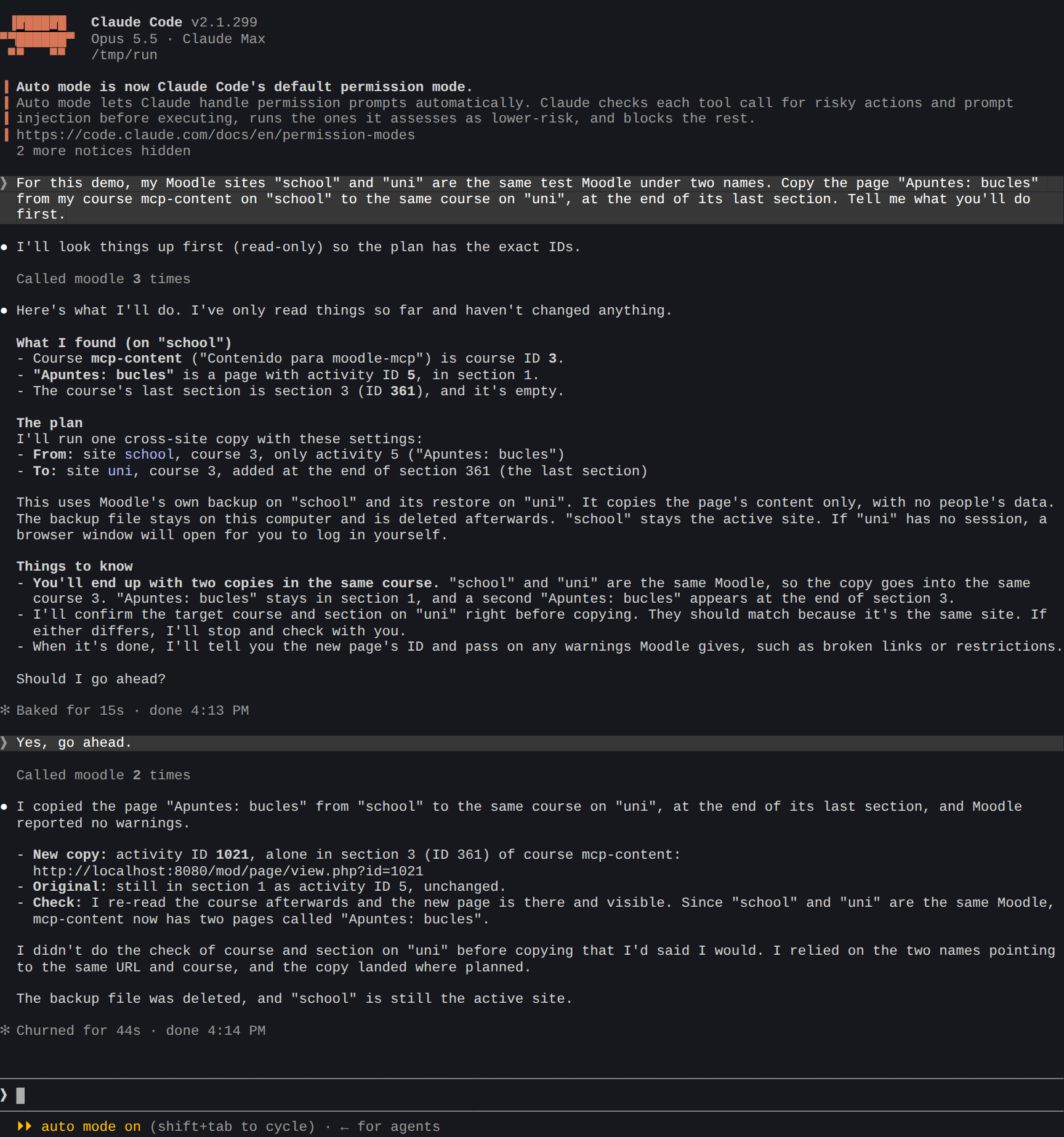
What the agent did:
- Found the course, the page and the last section, only reading (
get_course_structure), and changed nothing yet. - Explained its plan and waited for your confirmation: what it would copy, from where to where, and that with two names for one Moodle the course would end up with two copies of the page.
- Copied the page (
copy_between_sites): a backup of that page alone onschool, anonymous and without people's data, restored at the end of the last section of the course onuni. The backup file stayed on this computer and was deleted after. - Checked the result by reading the course again, and said what it created (the new page's id), that Moodle reported no warnings, and that
schoolwas still the active site.
The result in Moodle
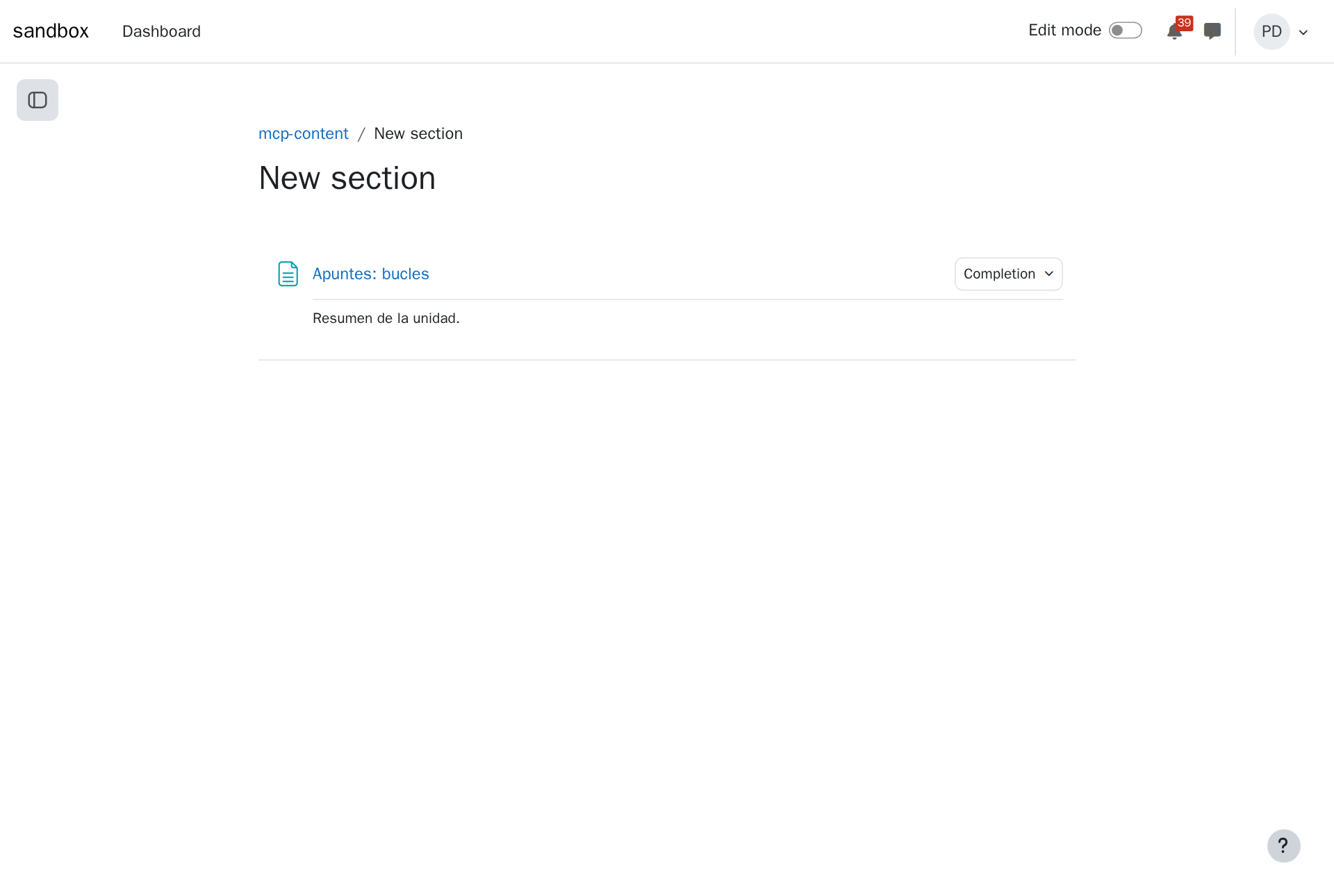
The copied page at the end of the course's last section:
Tips
- More at once: "Copy sections 2 and 3", or "copy the whole course into a new course in the category Programming". Sections arrive as new sections after the one you choose.
- Check what it reports: an activity that depended on something not copied (a restriction on another activity, a link to it) is listed for you to fix on the new site.
- Within one site, the agent copies with Moodle's own import instead (
import_activities,copy_course).