Grading with a rubric
Claude Code · as a teacher · default settings
The agent finds the submissions that still need grading, reads them, and proposes a grade with the assignment's own rubric. It saves nothing until you say so.
What you ask
In my Moodle course mcp-content, which submissions to the assignment "Tarea MCP" still need grading? For each one, read it and propose a grade with the assignment's rubric, with a short feedback. Don't save anything yet.
Then, once you've read the proposal:
Looks good. Save that grade and feedback, without notifying the student.
The session
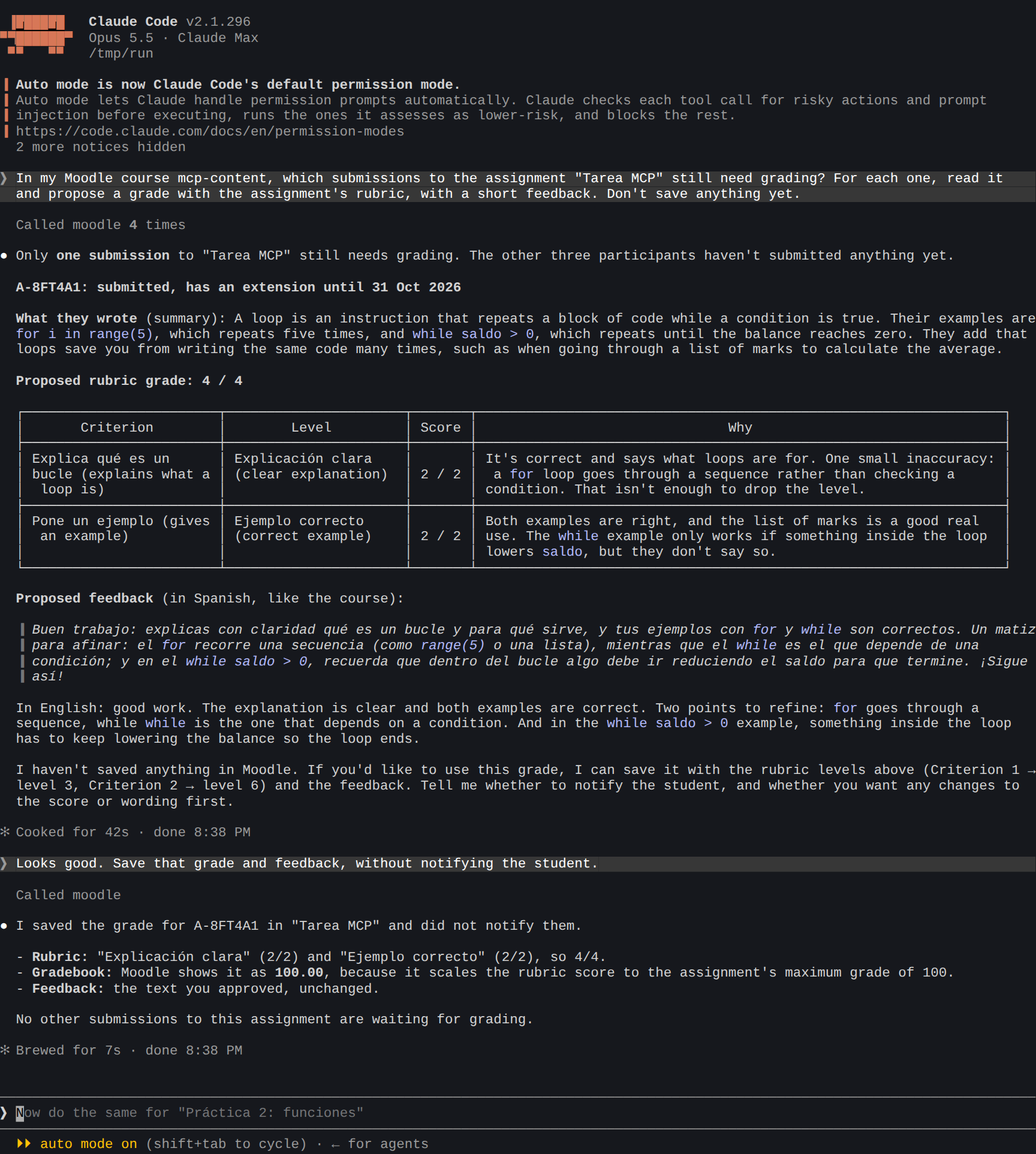
What the agent did:
- Found the course and the assignment (
list_courses,list_assignments). - Read the submissions (
get_submissions): one is waiting to be graded, and three students haven't submitted. The student isA-8FT4A1to the AI, never a name. - Read the rubric and the task (
get_rubric,get_assignment), and proposed a level for each criterion, with feedback. - After your OK, saved the grade (
grade_submission), with the rubric's levels filled in and notifications off.
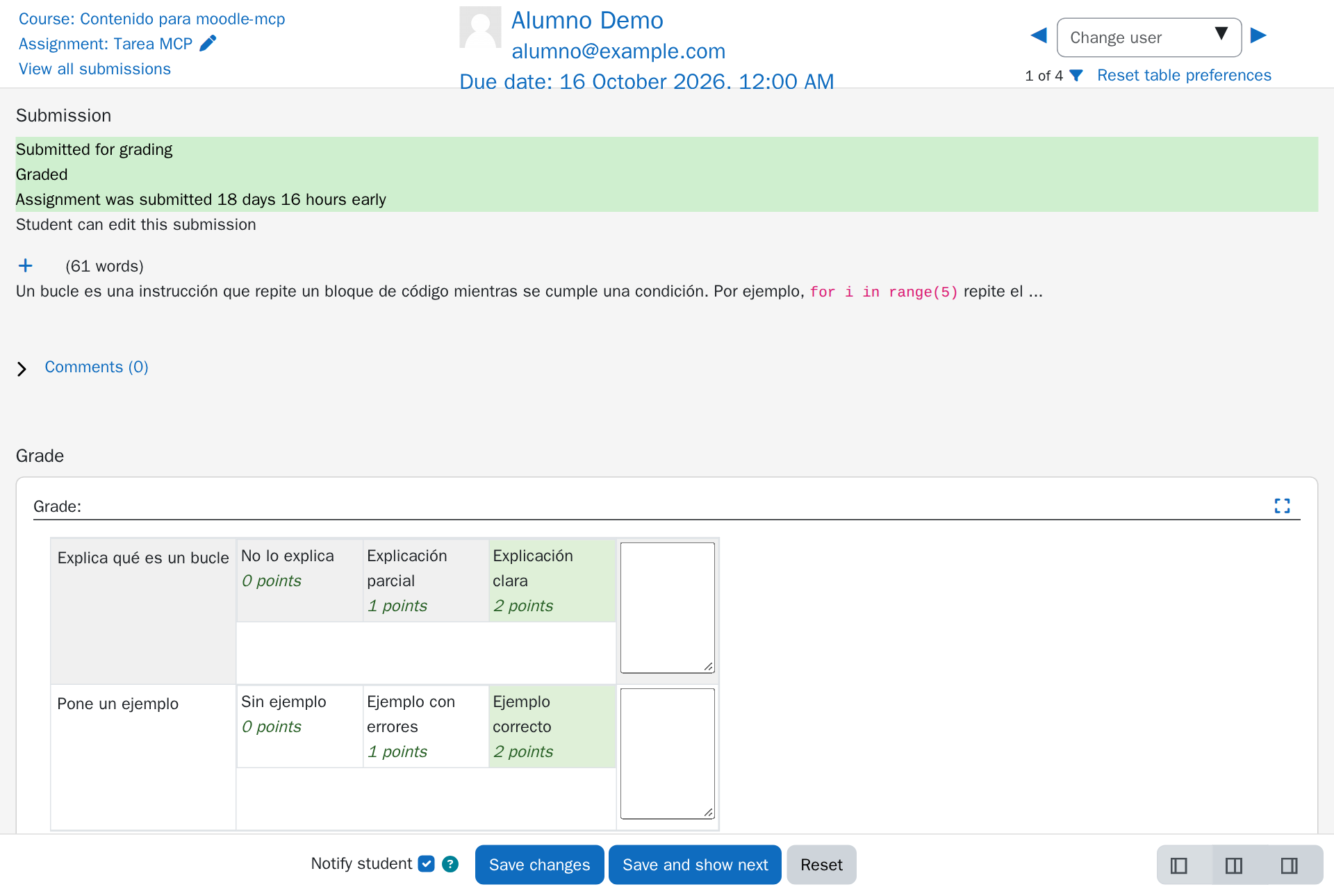
The result in Moodle
The rubric is filled in, level by level, in Moodle's own grading page, under your name:
Tips
- Always ask for a proposal first. "Don't save anything yet" keeps the agent from grading until you've read it.
- The feedback speaks to the student as "you". moodle-mcp refuses to send an alias to Moodle, because the student would read it.
- Many submissions? Ask for a table first ("one line per submission with the proposed grade"), then say which ones to save.
- Files that students submitted (a PDF, a ZIP) can only be read with
MOODLE_MCP_STUDENT_DATA=clear, because their content can't be pseudonymized. See Students' privacy.