7. Grading with the rubric
Three test students have submitted the final project, each at a different level: Lucía all 10 queries correct; Marcos, only some; Sara, all 10 with conceptual mistakes. Alumno Demo hasn't submitted.
In a new conversation, with the grading shortcut:
/miyagi:grade Grade the Práctica final "Consultas sobre la tienda" with the rubric I left you in sources. Run the submissions in Docker against the shop's data to check the results. I brought the deadline forward for this test and it has already passed.
Submissions that are files
This is the step most worth reading before using it with your class.
To protect your students, the moodle-teacher extension works by default with student_data: pseudonymize: the students reach the model with an alias ("A-6KTXW8") and never with their name. Text submissions reach it that way. Those that are files it doesn't read from Moodle: to read them, miyagi asks you to save them on your computer, a folder per student under their alias and with neutral file names.
It asks you in a panel of the classroom extension, with the folder where it will save them: submissions, inside the subject. You can say no, and then it doesn't read them.
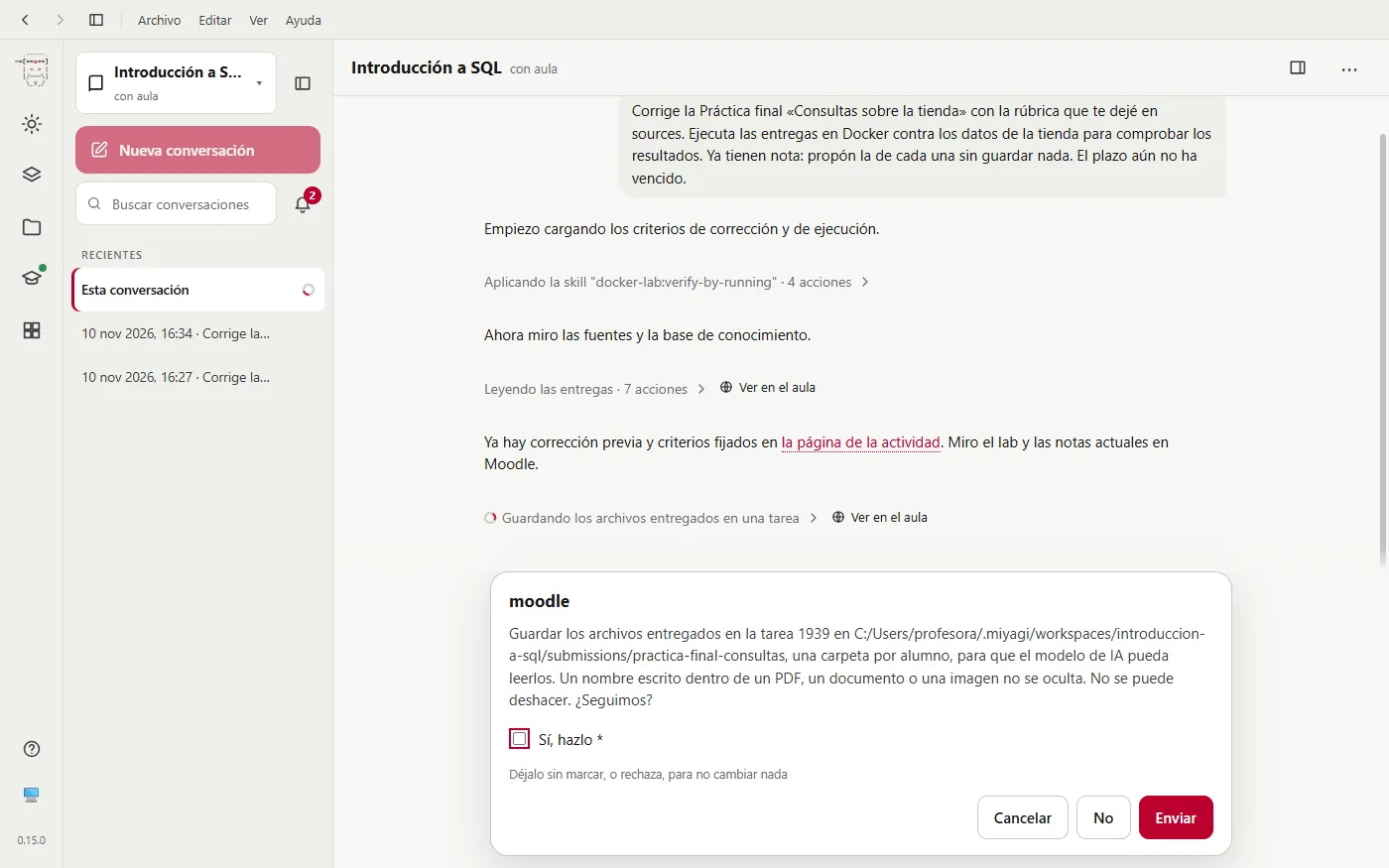
In text files, like a .sql, names are replaced by the alias. But a name written inside a PDF, a document or an image isn't hidden, and the model will see it. If your students sign their work inside the file, keep it in mind before saying yes.
With your permission, it reads them in submissions, copies those it has to run into the lab and runs them against the shop's data, comparing each query with the solution. When the grading is done it deletes every copy, the subject's and the lab's, and says so in its summary. If the grading stops halfway, whatever is left is deleted the next time you open the subject.
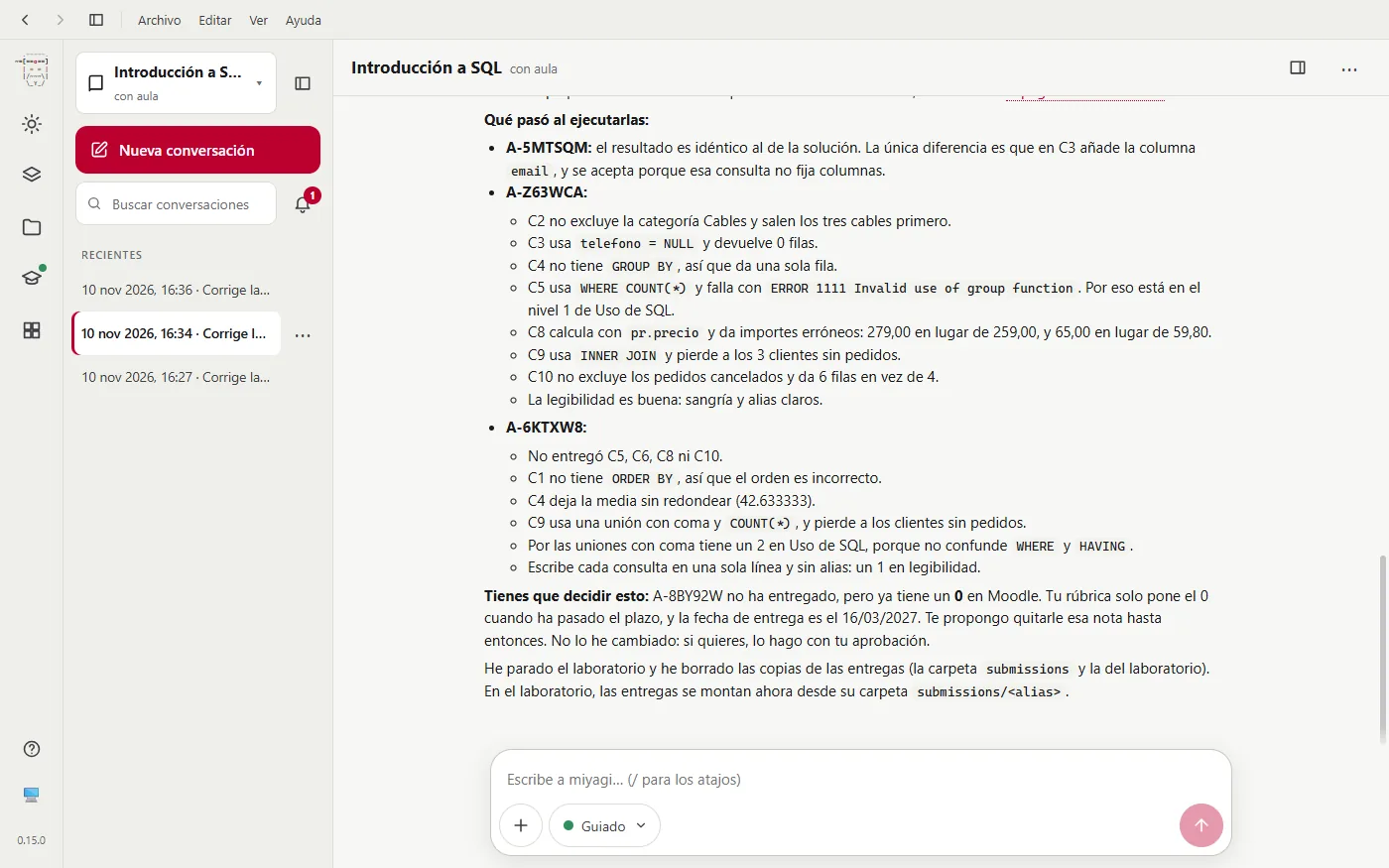
What you see isn't what the model sees. In the app and the web version you see each student by name: miyagi puts it on screen where the model has their alias, without the name leaving your computer. And if you talk about a student by their full name (say, “what is Sara Gil missing?”), the model gets their alias. To project in class, the eye button at the top right goes back to the aliases. The terminal always shows the aliases.
Each grade, before saving it
With the results, it applies the rubric and shows you the grades in a single approval, with each student's breakdown by criterion and their comment.
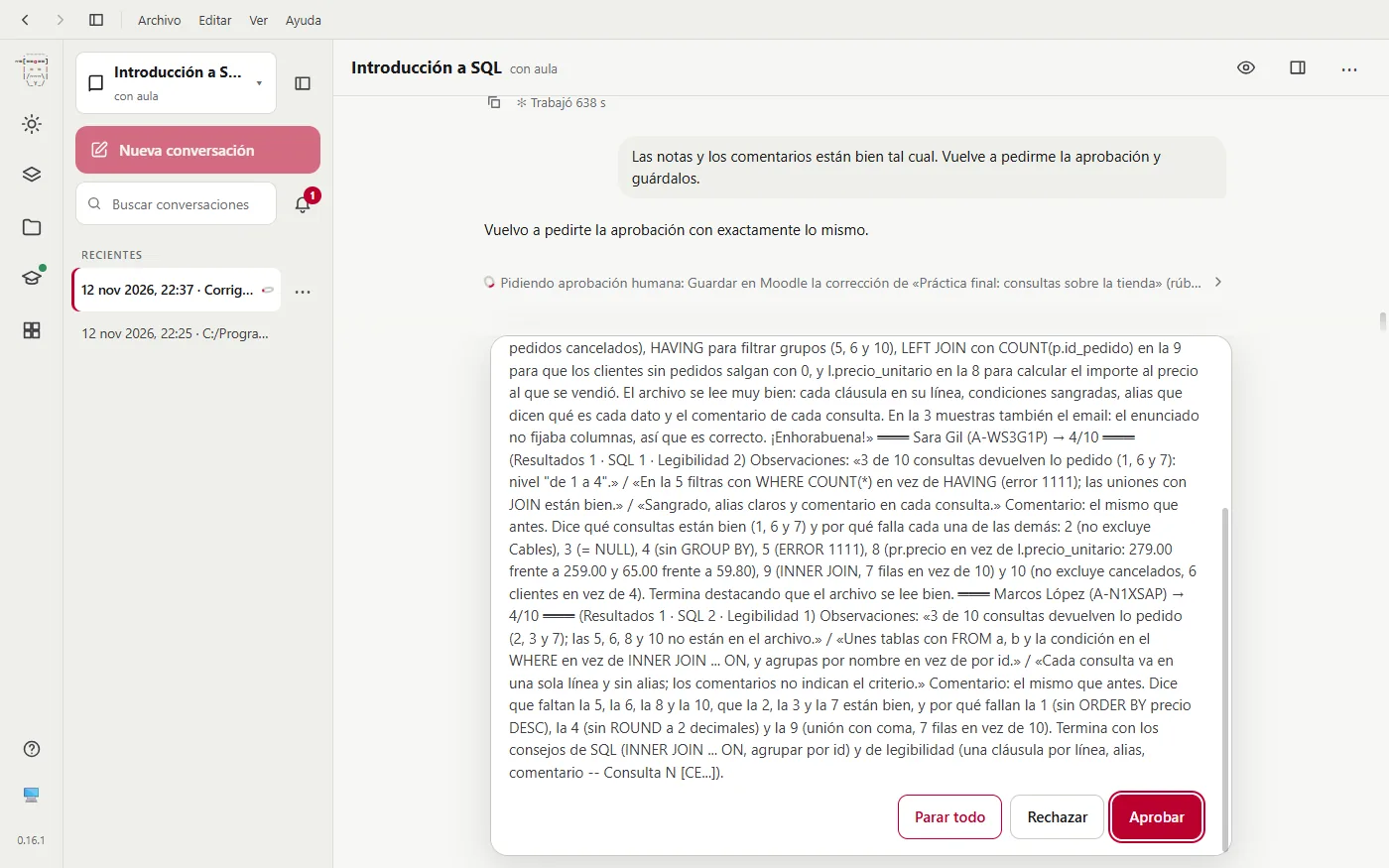
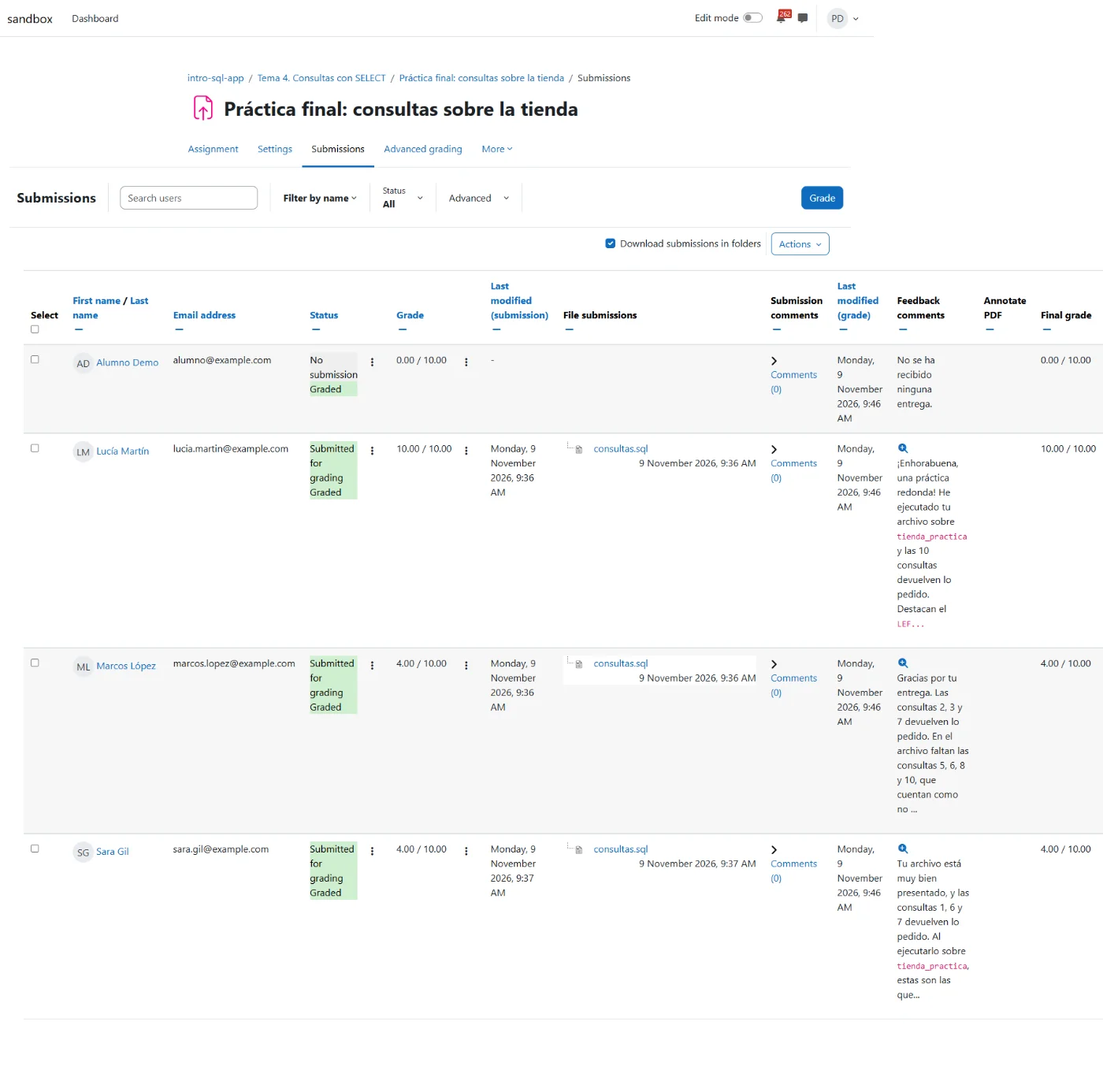
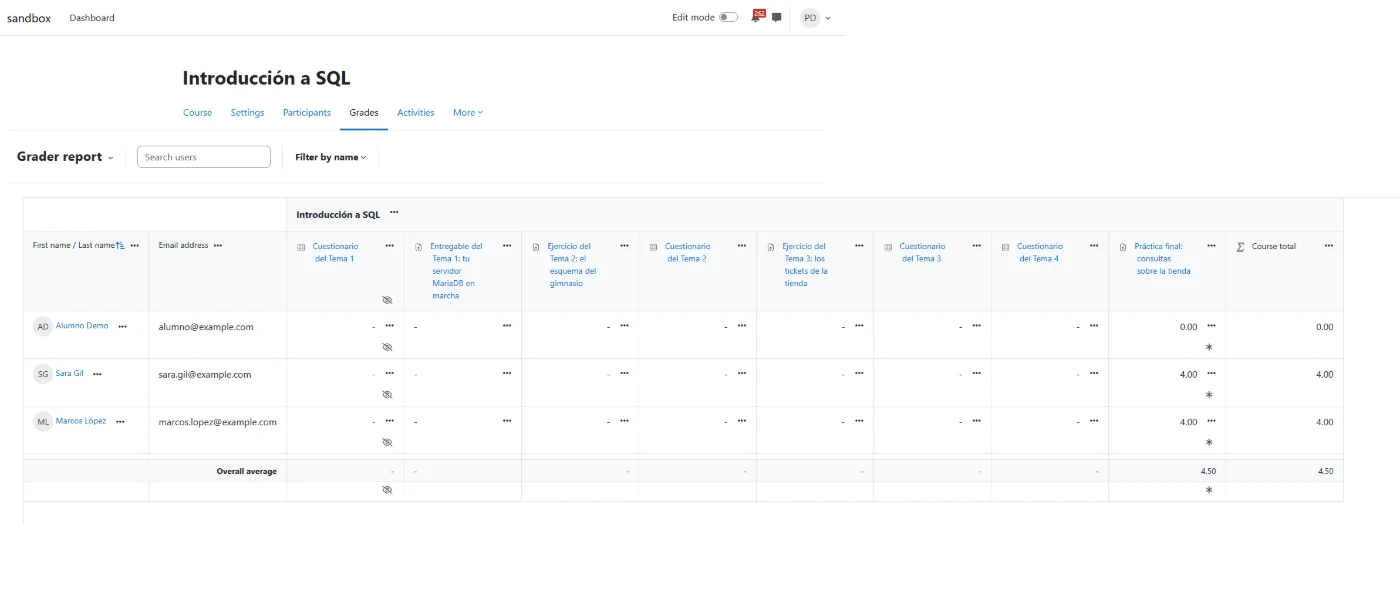
Each student's grade, the same you'll later see in Moodle:
- Lucía, 10. All 10 queries correct.
- Marcos, 4. He's missing queries (it counts them as not submitted) and the ones he has fail on order and style.
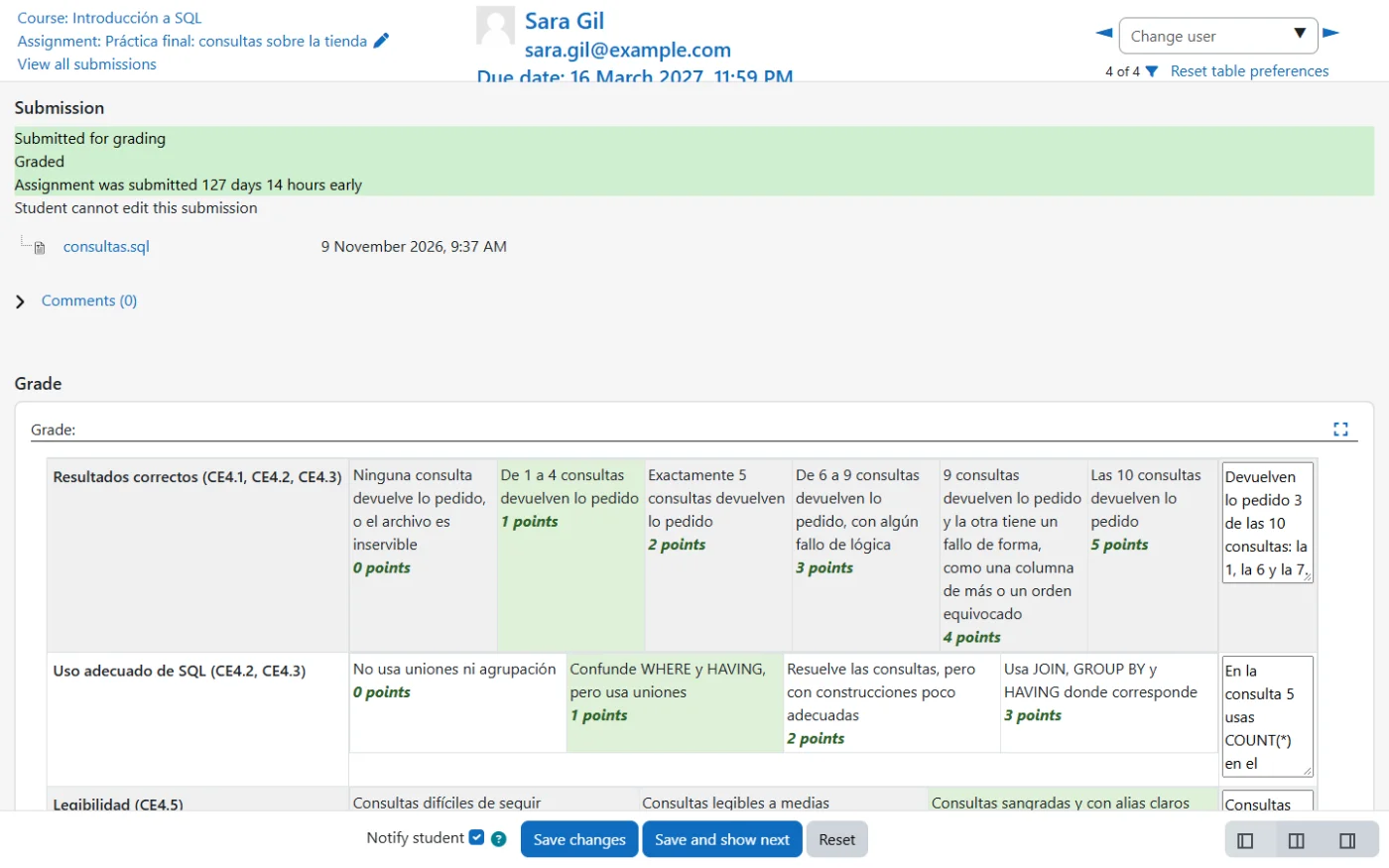
- Sara, 4. Very well presented, but with conceptual mistakes: an aggregate in the
WHERE(error 1111), anINNER JOINwhere aLEFT JOINwas needed and a count withoutGROUP BY. - Alumno Demo, no grade. They haven't submitted, but the deadline is still open, so it doesn't give them a 0 yet.
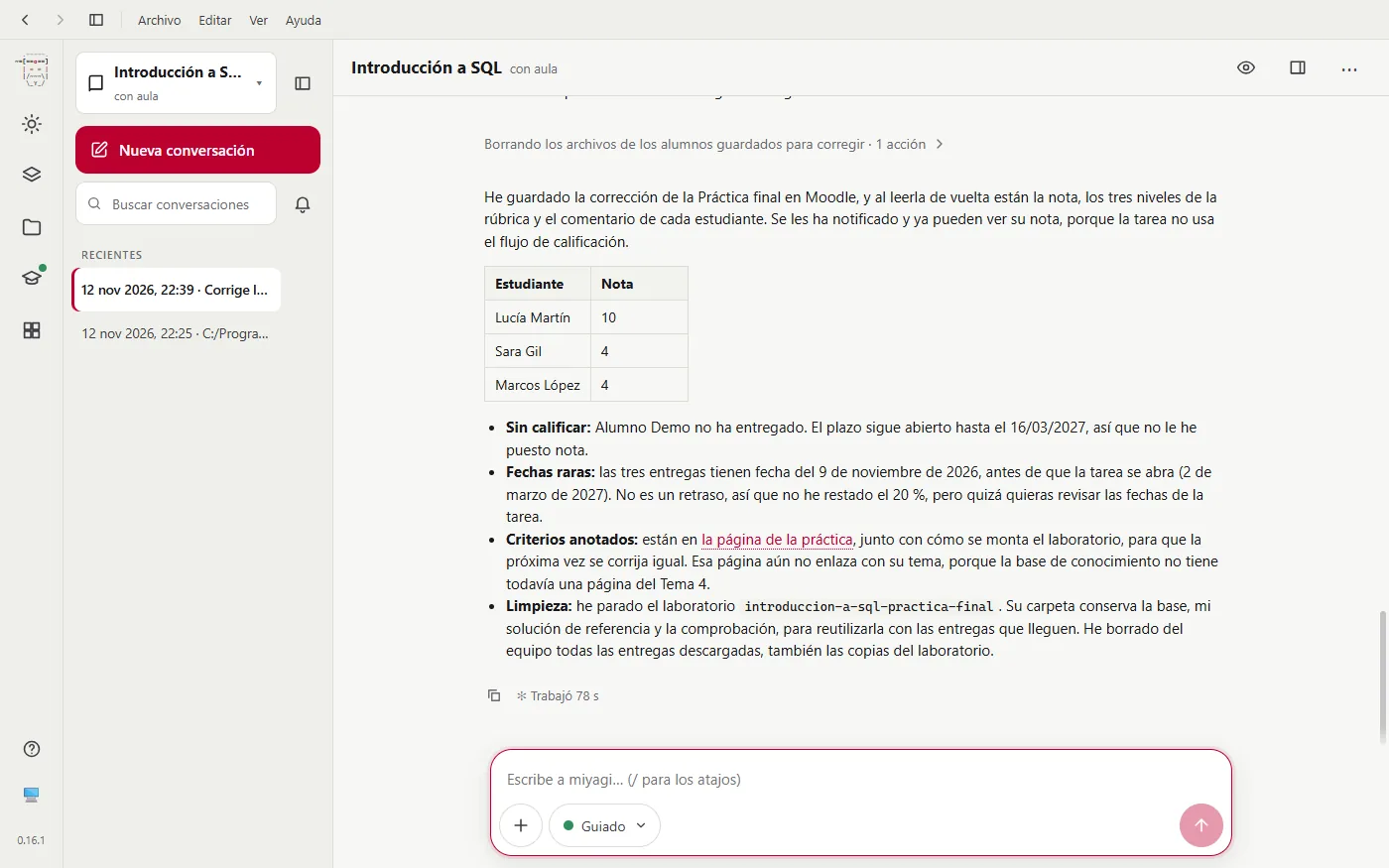
When it finishes, miyagi sums up what it has done. It says it has read each grade back from Moodle, that the students already see it because the assignment doesn't use the marking workflow, and that it has stopped the lab and deleted the submissions. It also points out what looks odd, such as submission dates before the assignment opened, instead of deciding it for you.
What each one sees
The teacher sees the grades in Moodle with their names:
And the student sees their grade, the rubric with the levels marked and feedback that says what's wrong:
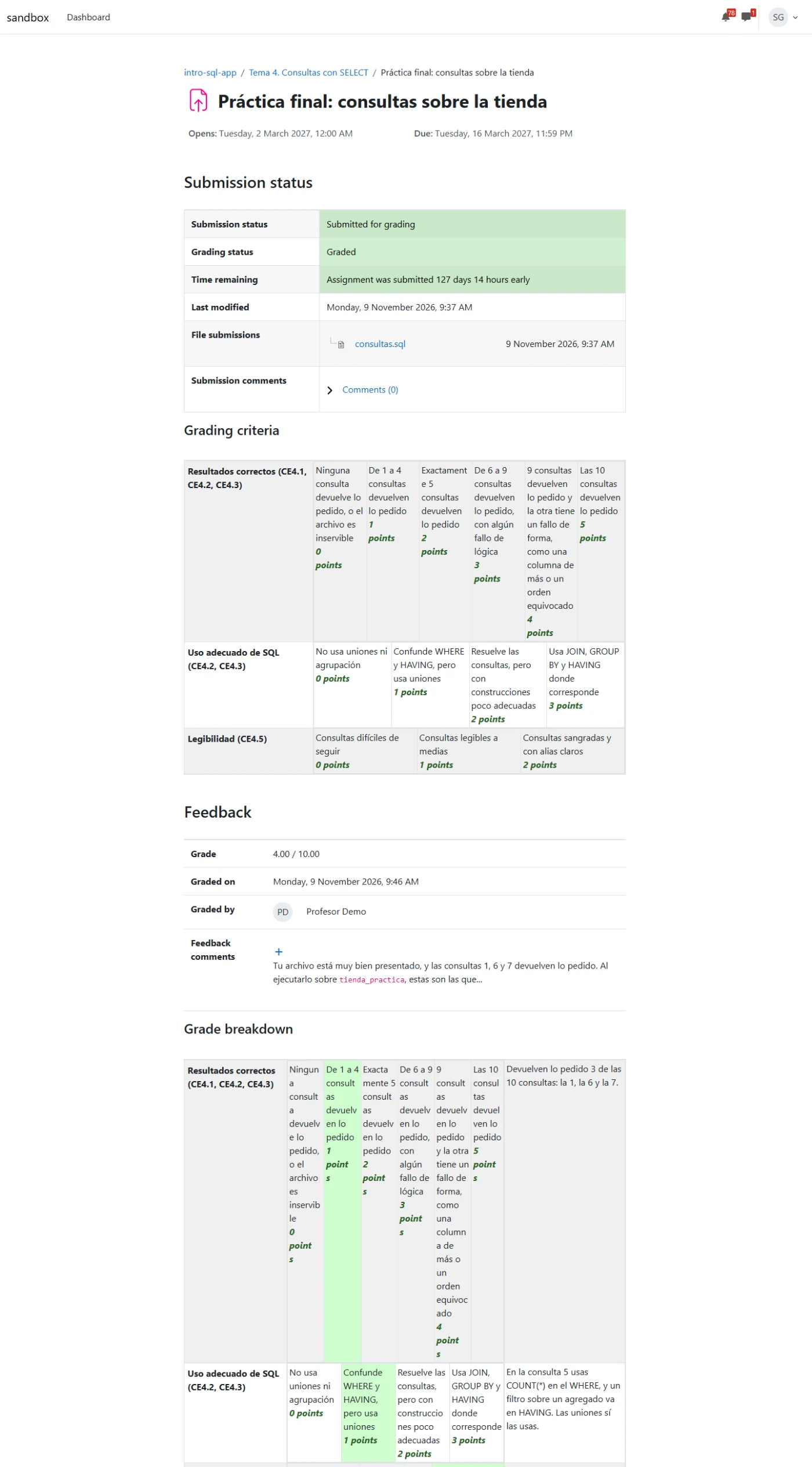
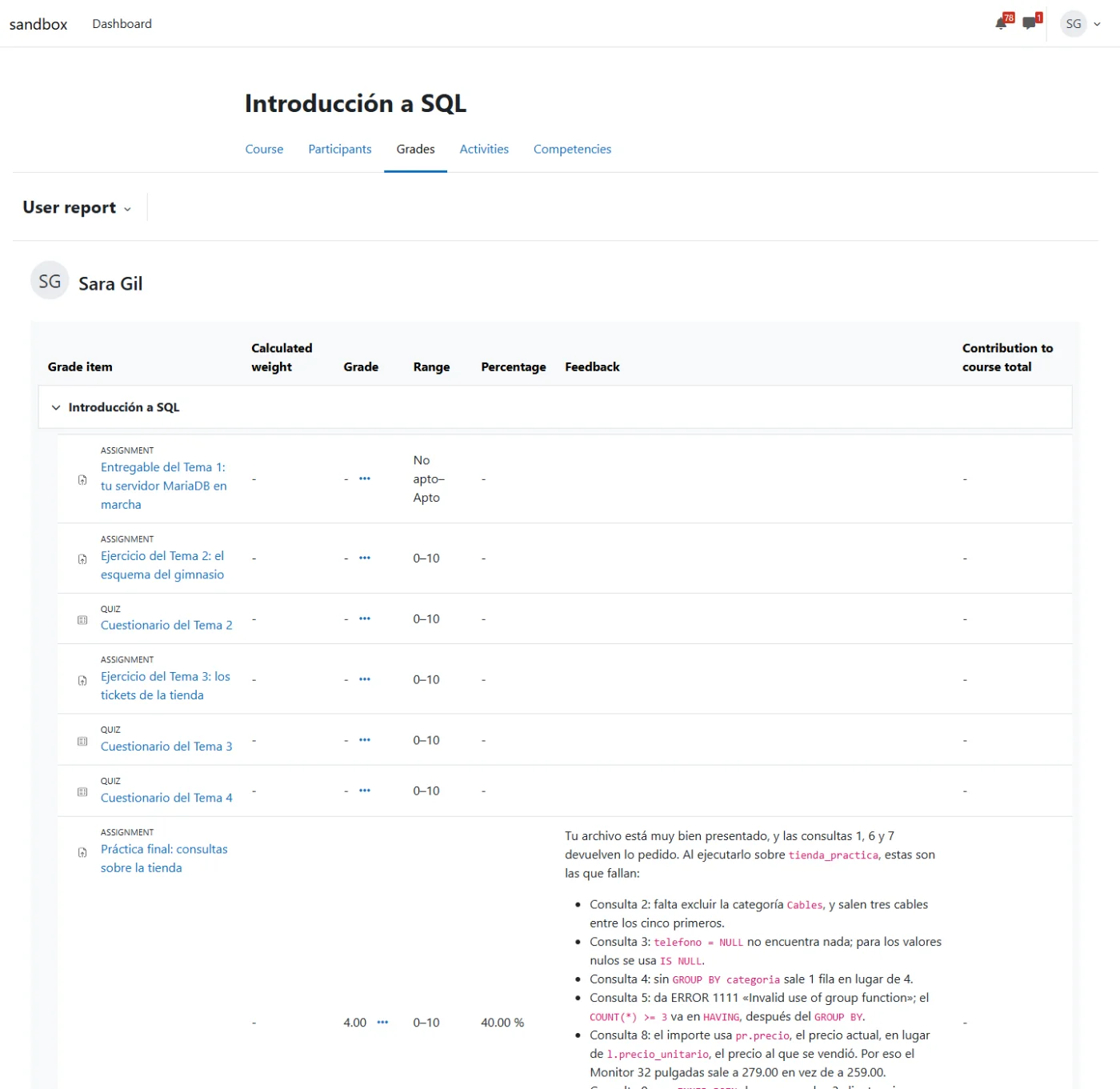
The rubric was the one in your Sources folder, and where it didn't say something miyagi interpreted it and showed it to you. If you don't agree, tell it: it regrades with your criteria and notes it in its memory for next time.
Next step: looking after the forum.