5. Units 2 and 3: DDL and DML
With the first unit in place, we ask it for the next two in a single request:
/miyagi:build-unit Units 2 and 3, one after the other, following the teaching plan: Unit 2 (DDL: CREATE TABLE with keys and constraints, ALTER, DROP on the tienda database) and Unit 3 (DML: INSERT, UPDATE, DELETE and the typical errors). Each with its notes, an exercise to submit with a rubric, a quiz and the practicals tested in Docker. The container is always called mariadb-tienda. The dates in the teaching plan work for me. Publish it hidden and ask my permission to show it.
It follows the same method as in Unit 1: it tests in a lab every CREATE TABLE, every foreign key and every error the notes are going to explain (for example, ERROR 1452 when inserting an order for a customer who doesn't exist). Then it writes the notes, the guided practical, the exercise with its rubric and the quiz, and uploads each piece hidden, with its permission.
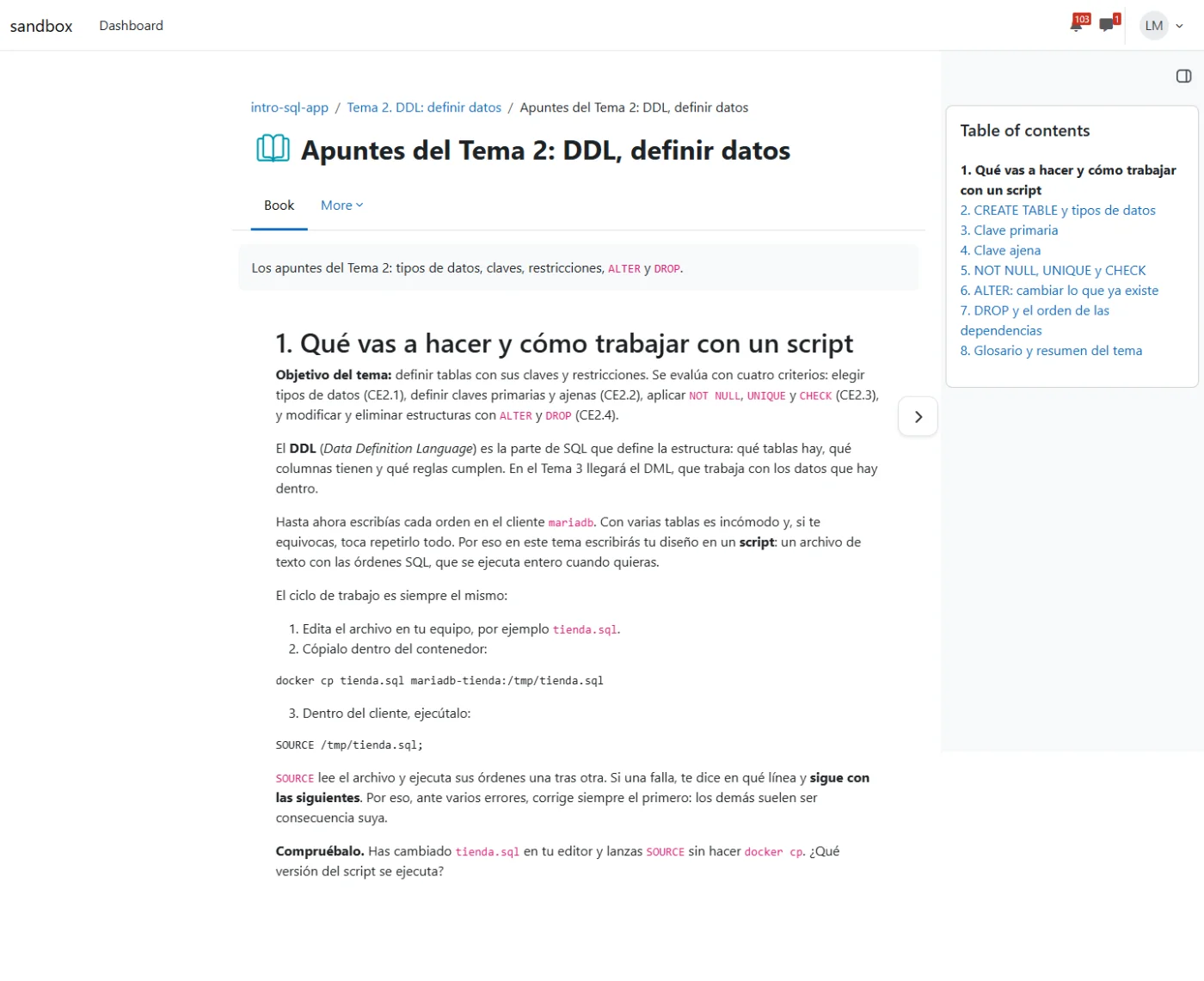
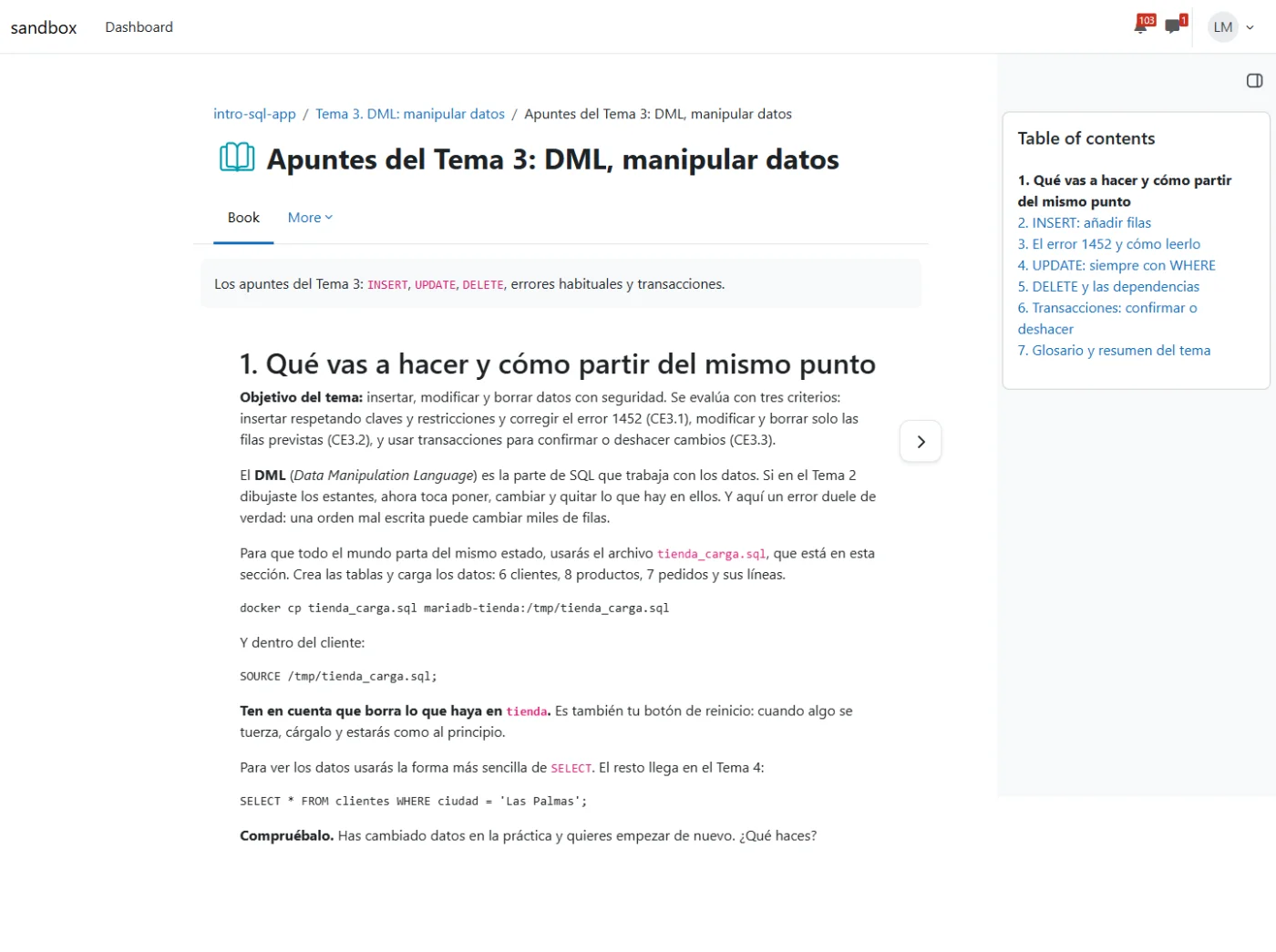
tienda database.Exercises with a rubric
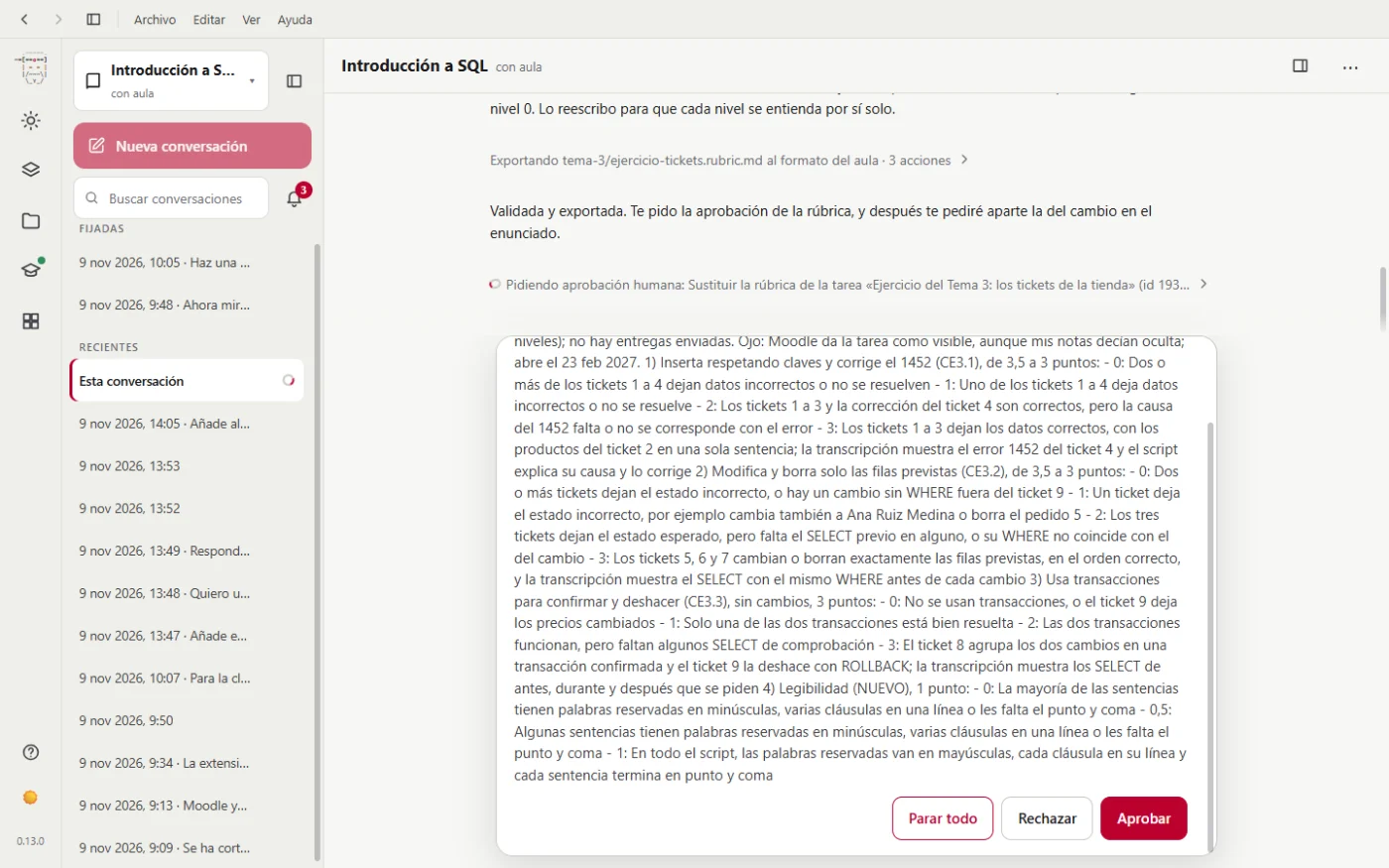
Each unit has an exercise. miyagi designs the rubric from the teaching plan's assessment criteria, and shows it to you before saving it, criterion by criterion and level by level:
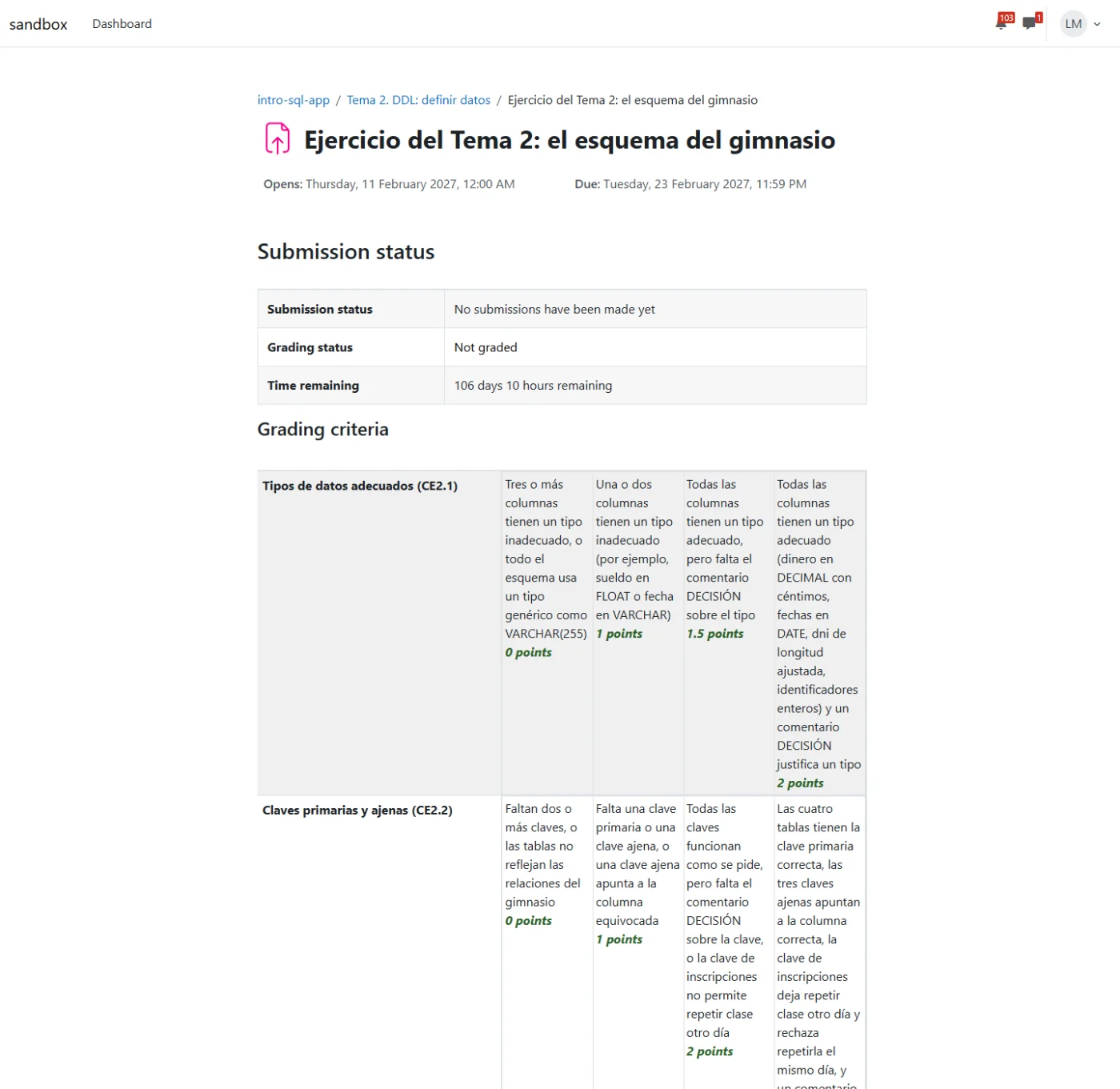
The student sees it next to the instructions, so they know from the start how they're going to be graded:
What was left pending
When it finishes, it separates the tests it did, the decisions it took on its own and what's waiting on you:
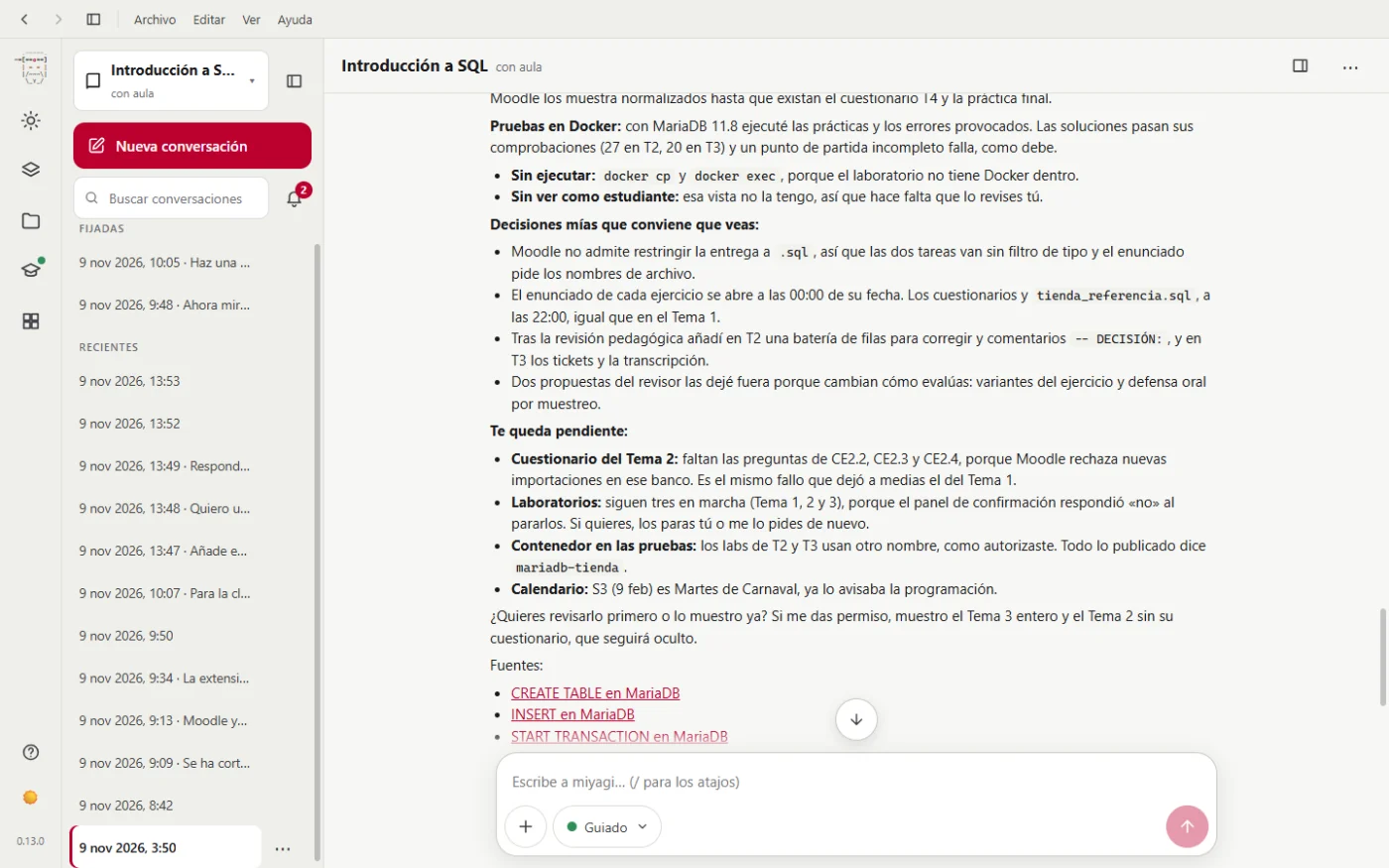
We'd highlight two things:
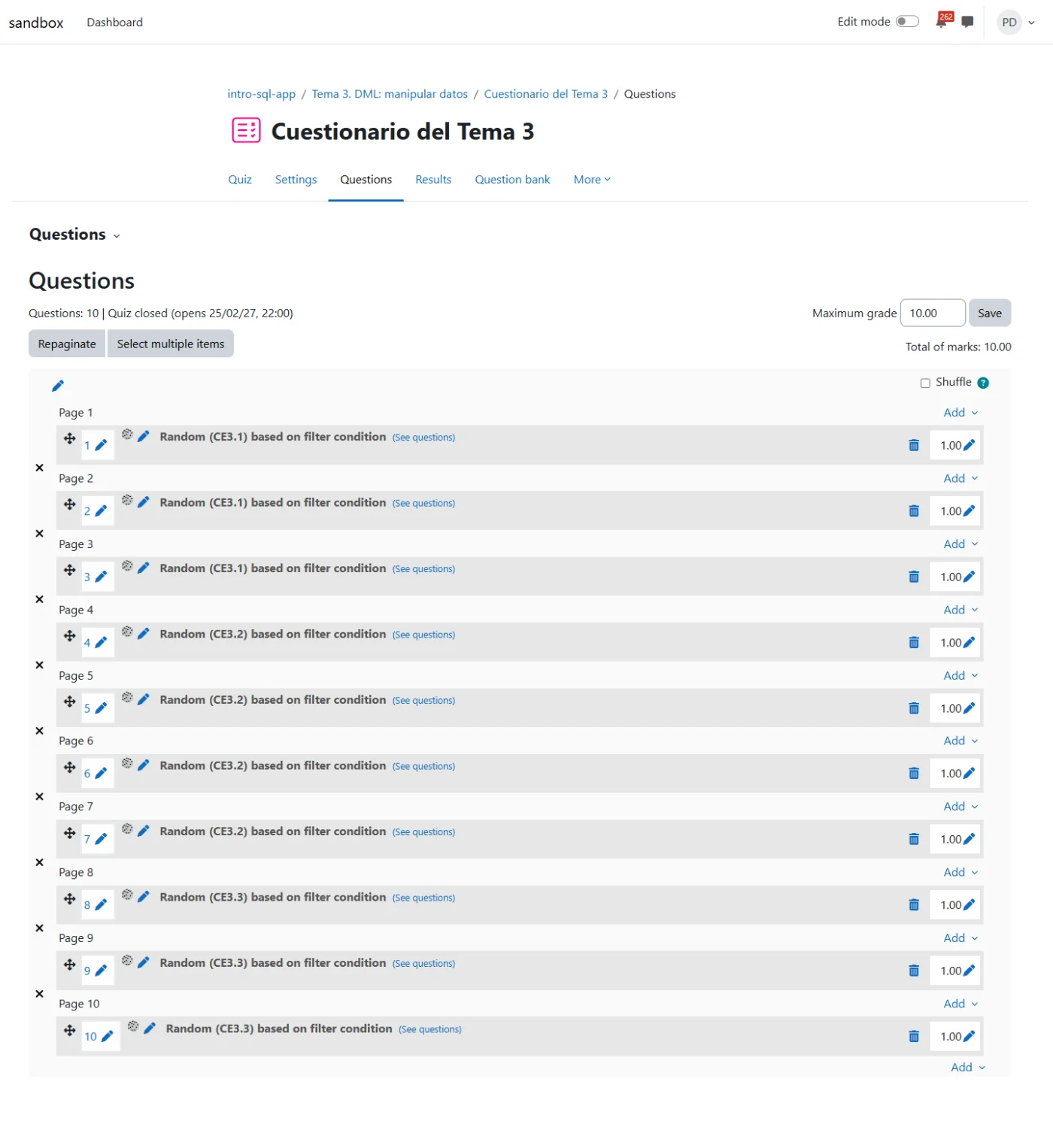
- The Unit 2 quiz was left incomplete. miyagi said that "Moodle rejects new imports into that bank", but the real cause was that the Moodle browser was closing. It was completed in the next step.
- It can't see it as a student. miyagi doesn't have a student view: it asks you to check it yourself. And Moodle doesn't allow restricting the submission to
.sql, so the instructions ask for the file name.
No automatic review replaces yours. Open the course with Switch role to Student from time to time and tell it in your own words if something doesn't convince you: it fixes it, and what you teach it stays in its memory of the course.
Next step: Unit 4 and the final project.