1. Prepare the classroom
We start from an empty Moodle course, "Introducción a SQL", in which we have the teacher role. Everything else is done from the desktop app.
Create the subject
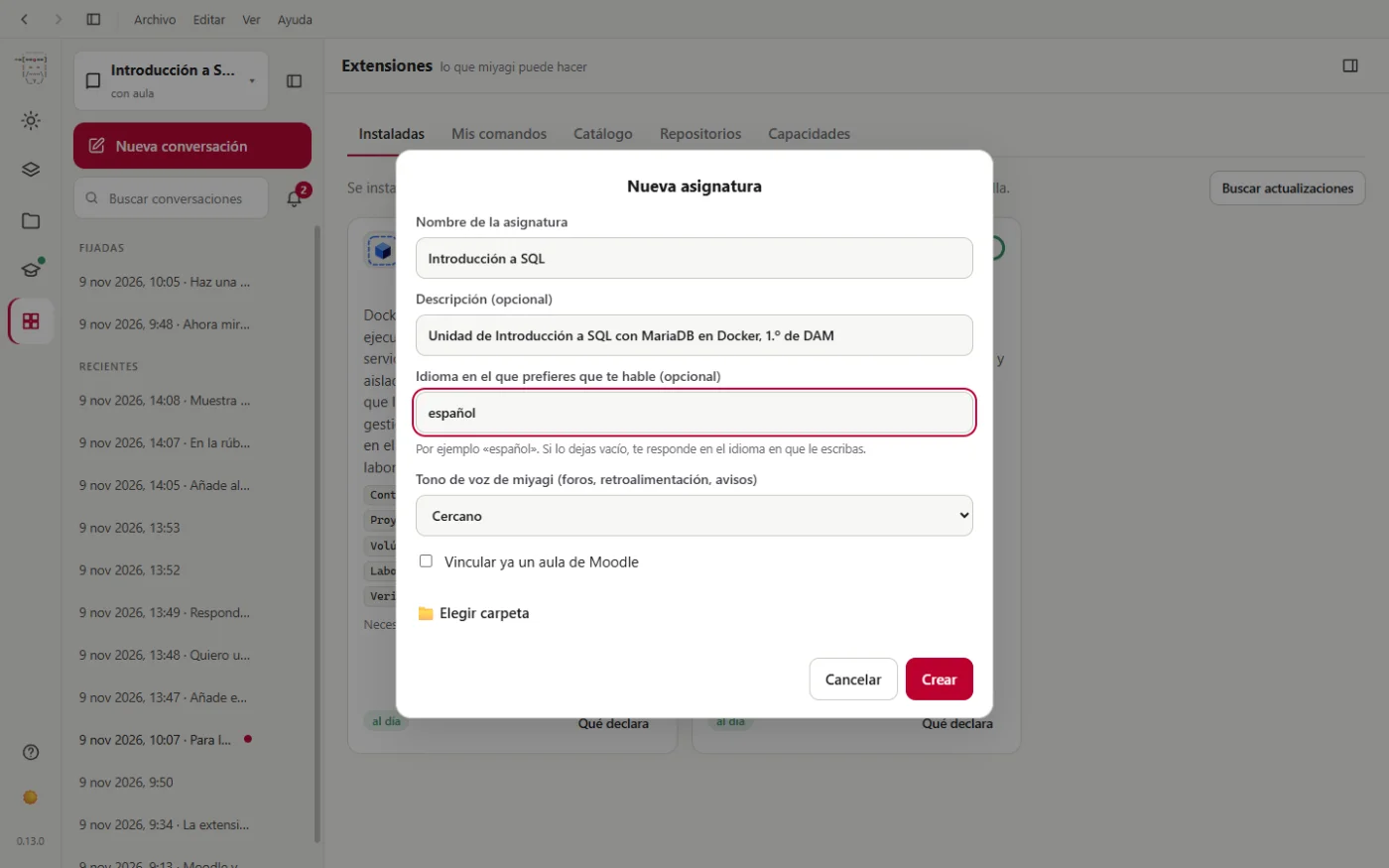
We click New subject and fill in the form: name, a description, the language and the tone (Warm, which is how it will speak to the students in the forum and in feedback).
Link the course
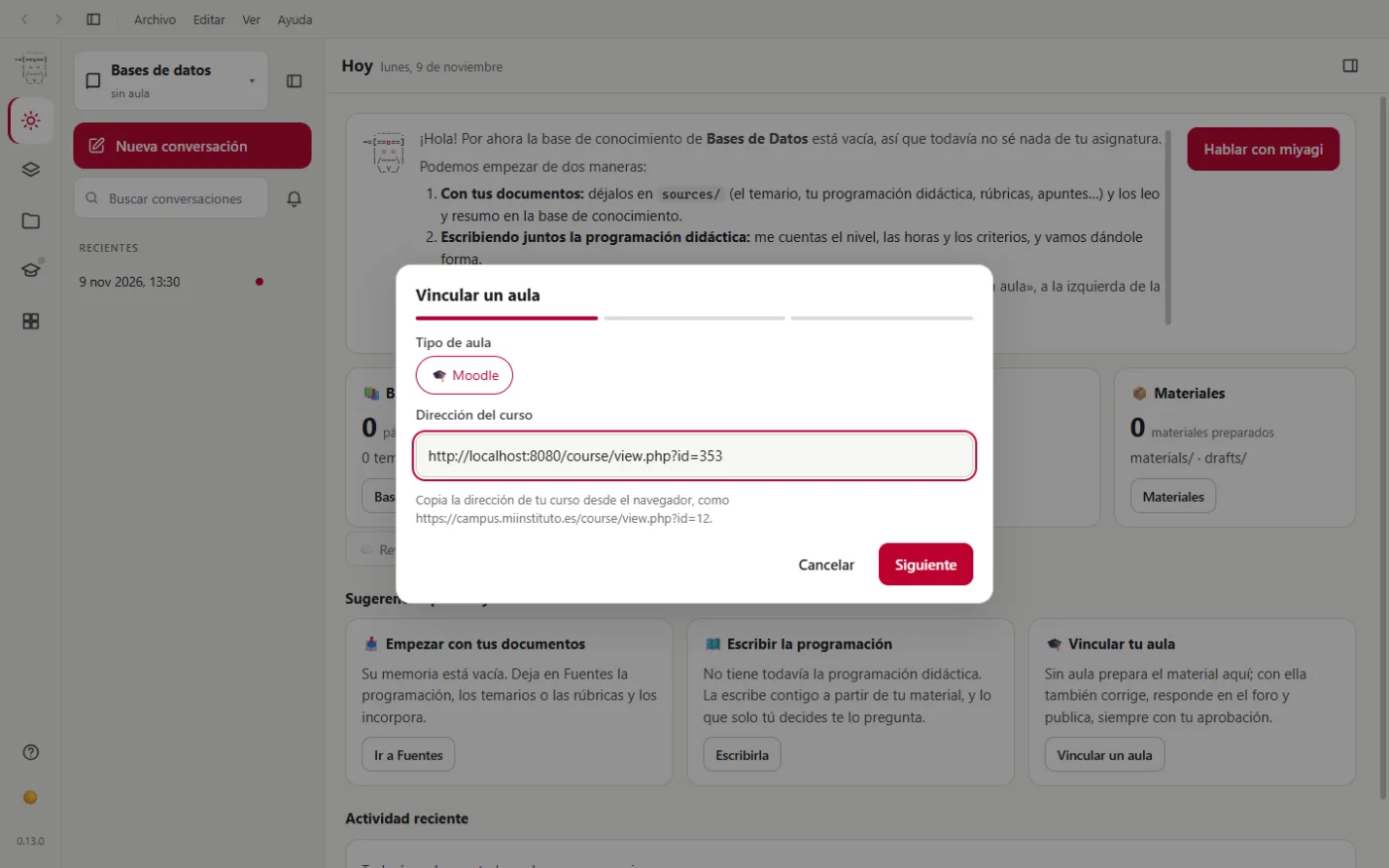
In Your classroom we click Link a classroom and paste the course's address, the one we see in the browser.
miyagi tells us what it's going to do: install the classroom extension (moodle-teacher) and give it this campus and this course, so that it can only enter the linked courses.
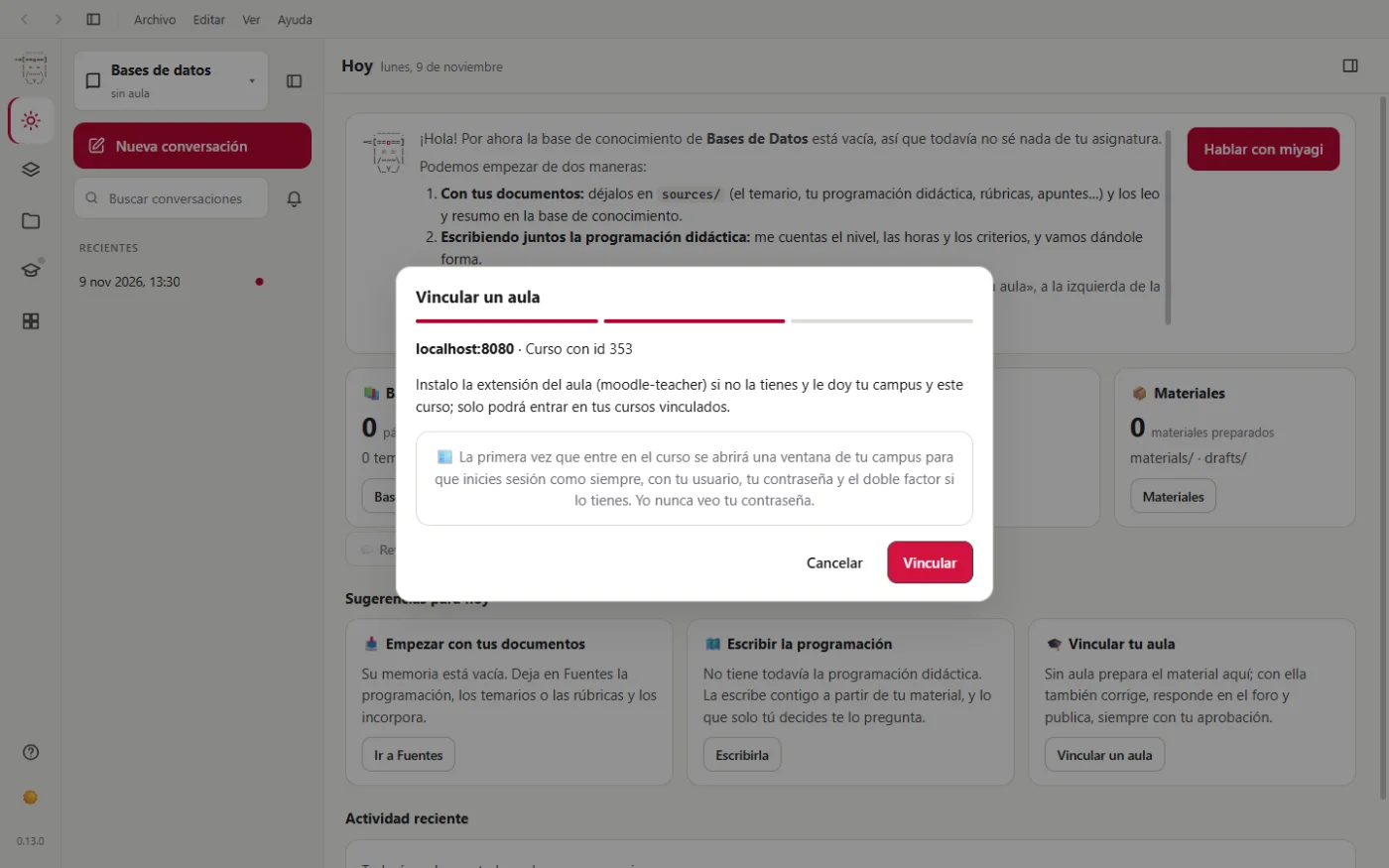
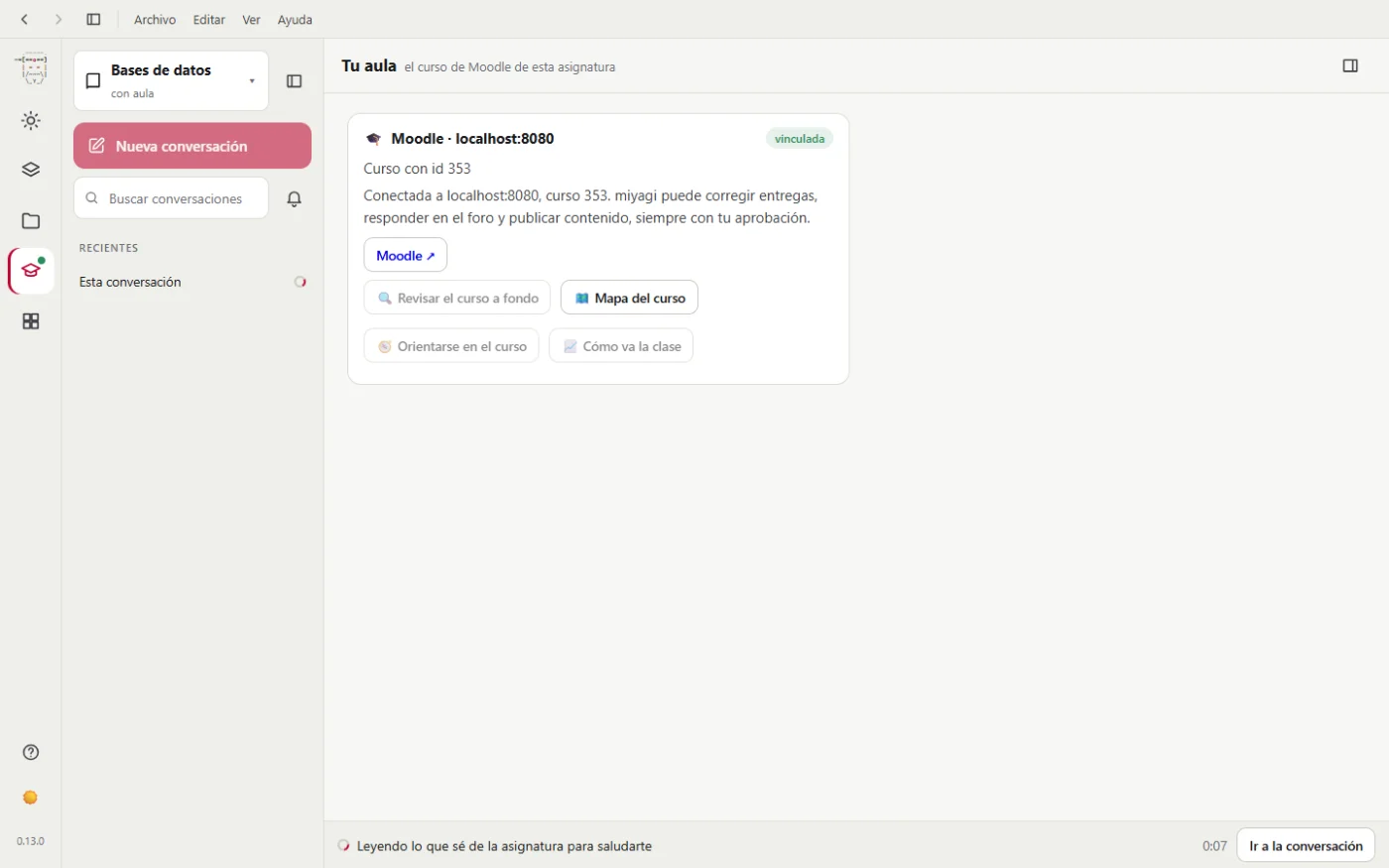
The first time miyagi needs to enter Moodle, a window of that Moodle opens so that you log in yourself, with your username and password. Neither miyagi nor the model sees them. moodle-teacher keeps that session, so it doesn't ask again until it expires.
The practicals, in Docker labs
The course is about MariaDB in Docker and we want miyagi to check the practicals before publishing them. For that, in Extensions > Catalog we add docker-lab: miyagi checks each practical in a Docker lab, isolated and without touching anything else on the computer. It needs Docker Desktop installed.
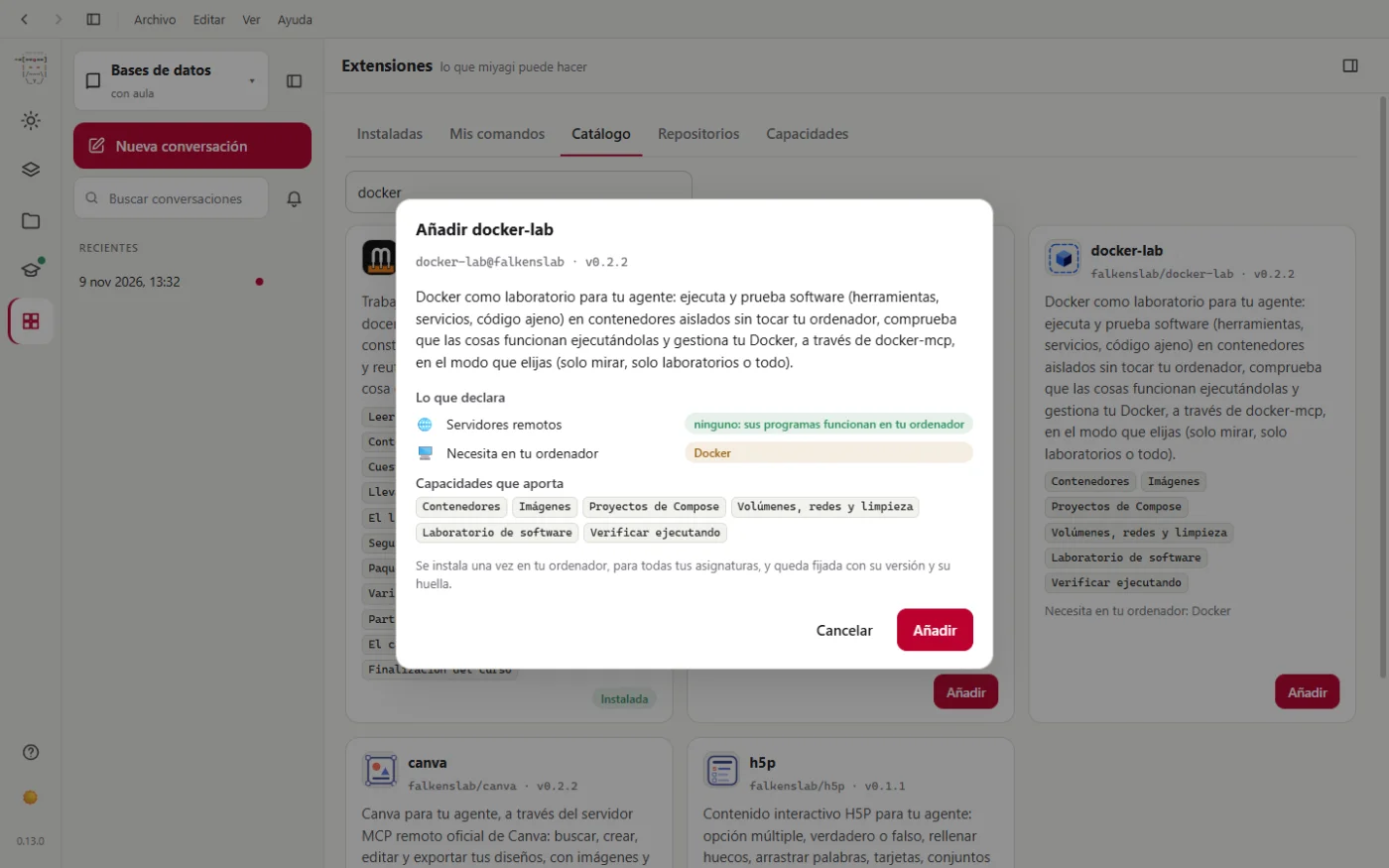
It's explained in Docker practicals.
Next step: give it your material.