2. Give it your material
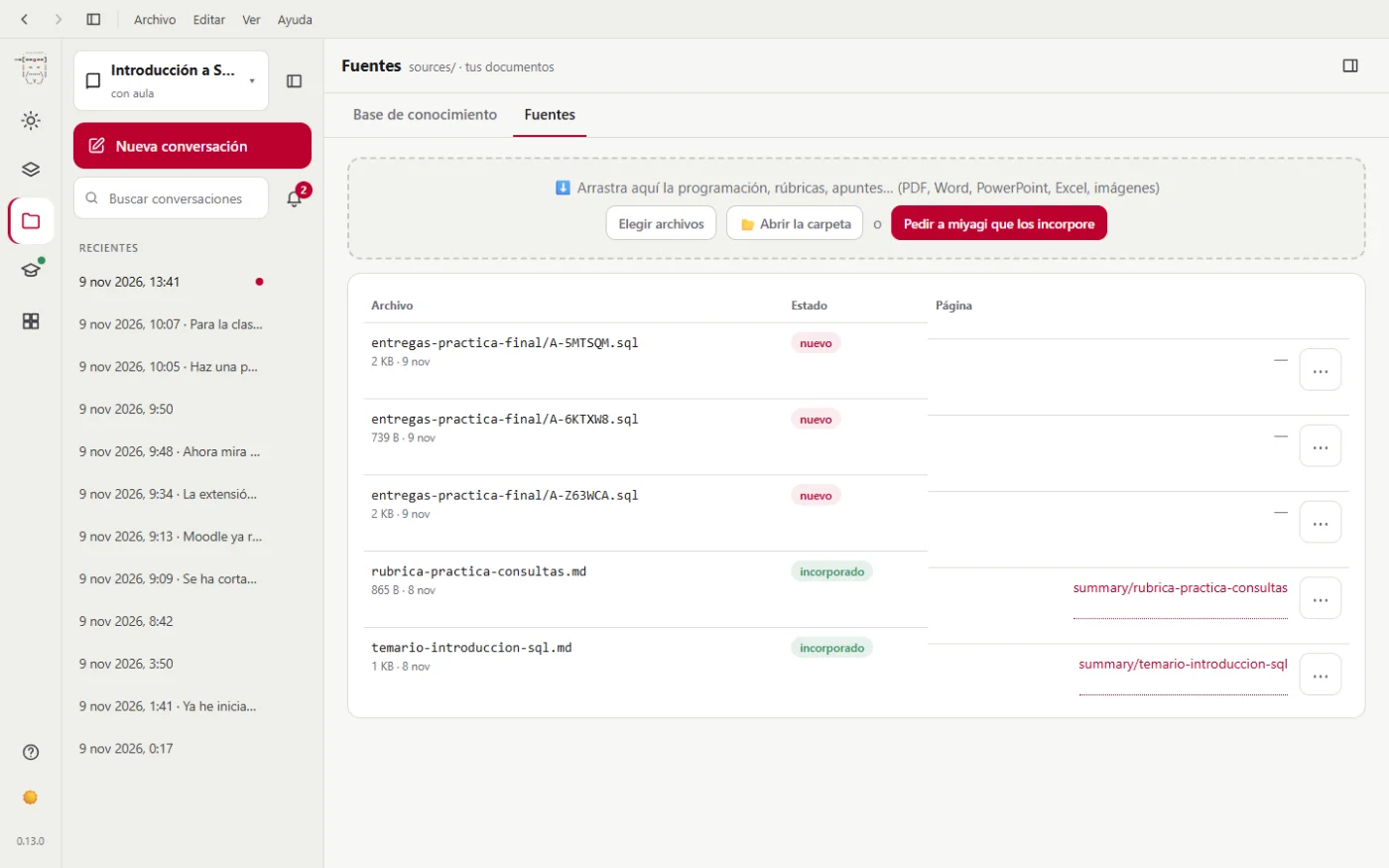
The more miyagi knows about your course, the better it works. What you already have written (the syllabus, the rubrics, the solutions, your criteria) goes in Memory, Sources tab. It only reads it: it never changes your originals.
For the SQL classroom we drag in two documents:
temario-introduccion-sql.md: 6 weeks, 4 units (MariaDB in Docker, DDL, DML and queries), the objectives, the working database (tienda) and the assessment: quizzes 20%, exercises 30%, final project 50%, and 20% off for late submission.rubrica-practica-consultas.md: the final project's rubric, out of 10: correct results (5), appropriate use of SQL (3) and readability (2).
They can be PDF, Word, PowerPoint, Excel, Markdown or even photos of handwritten notes. Then we click Ask miyagi to take them in.
It doesn't open Moodle: it reads each document and turns it into pages of its memory, linked to each other. In the conversation it sums up what it has done: eleven pages plus the overview (summaries, the four units, the final project, the database and three concepts), and what it needs you to clarify: how a 2 or a 4 is given in "Correct results", until when a late submission is accepted and whether the quizzes and the exercises weigh the same.
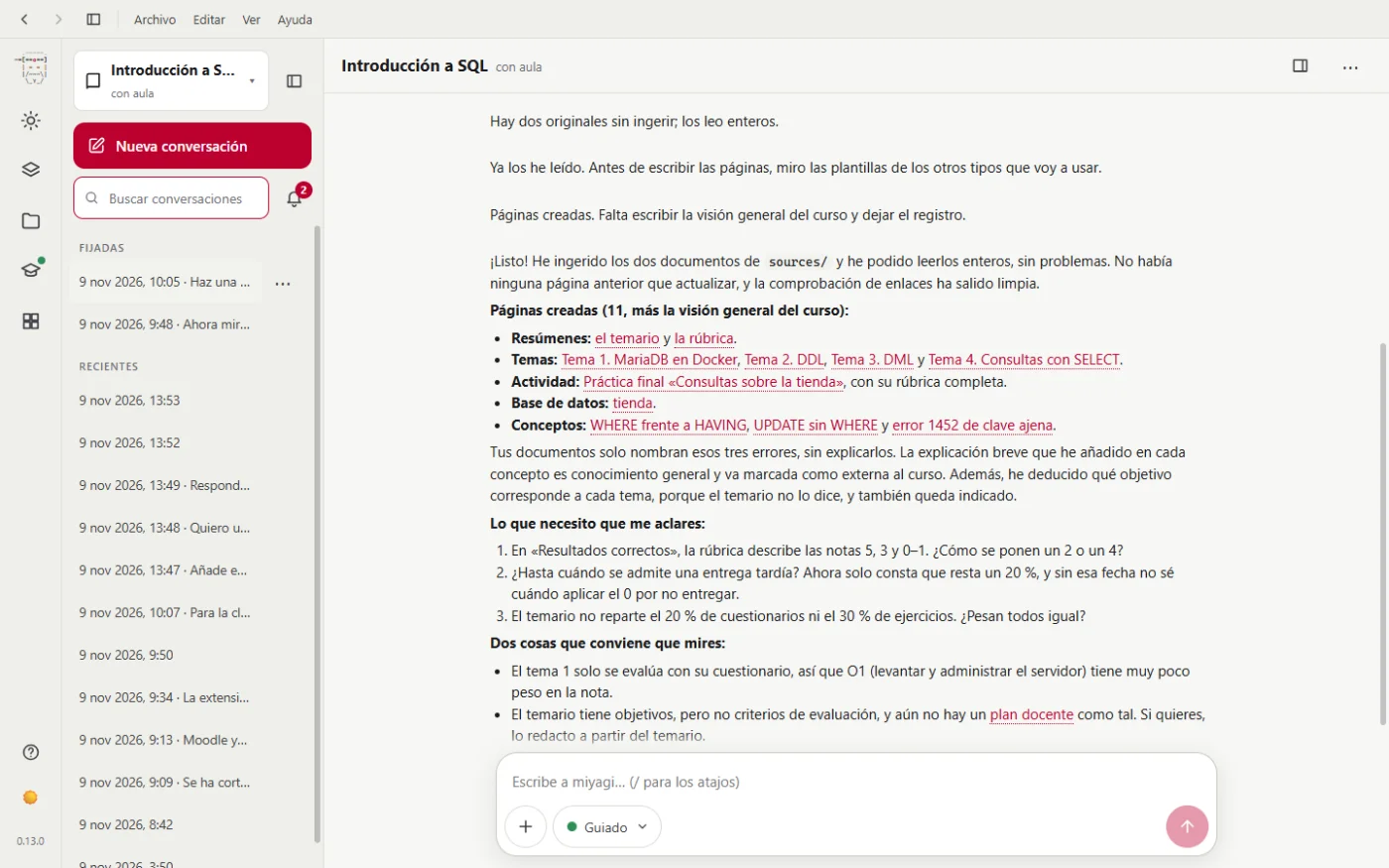
It warns you of things that can't be seen at a glance: that Unit 1 is only assessed through its quiz, so starting and administering the server counts for very little in the grade; and that the syllabus has objectives but no assessment criteria.
The course's memory
It all ends up in Memory, Knowledge base tab: pages you can open and correct.
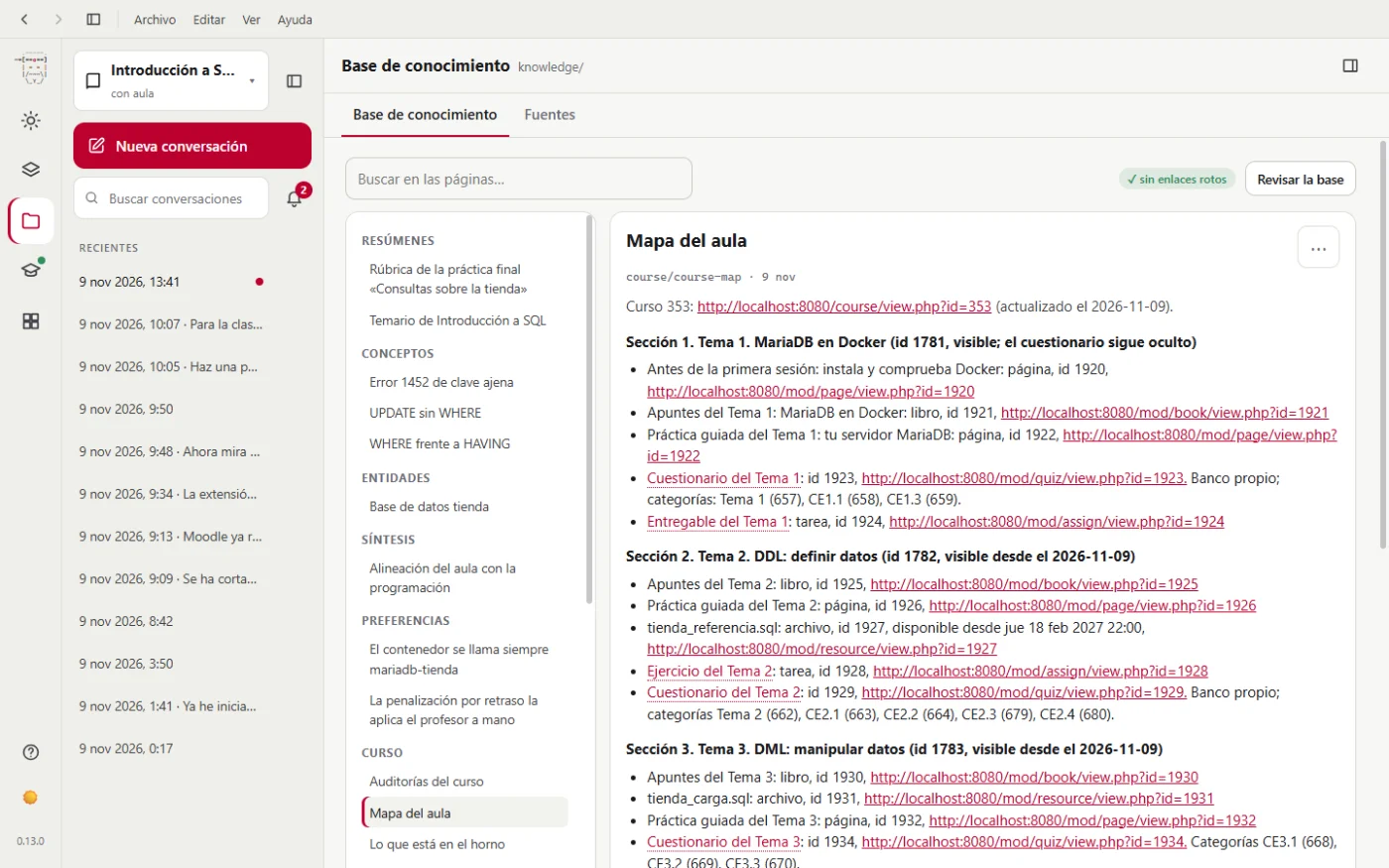
If you want to know what each file holds and how ingestion works inside, it's in The knowledge base.
Next step: the teaching plan.