10. Your own skill
miyagi comes with its skills built in, but every subject has its quirks. In this course we want all the SQL the students see to follow the same conventions: keywords in upper case, one clause per line, aliases with AS, JOIN always explicit, INSERT always with the column list… Students learn by imitating.
You don't have to program for that: a text file with a skill of your own is enough.
Writing it
In the subject's folder, .claude/skills/estilo-sql/SKILL.md:
---
name: estilo-sql
description: Convenciones de estilo SQL de este curso (MariaDB) - úsala siempre que escribas o revises SQL que vayan a ver los alumnos (apuntes, enunciados, soluciones, preguntas de cuestionario, respuestas del foro) y al corregir entregas con SQL.
---

# Estilo SQL del curso

Todo el SQL que publiques en este curso sigue estas convenciones, sin excepciones.

## Convenciones

1. Palabras reservadas en MAYÚSCULAS.
2. Nombres de tablas y columnas en snake_case y minúsculas: clientes, fecha_alta, id_cliente.
3. Una cláusula por línea, y las columnas de un SELECT largo, una por línea con cuatro espacios.
4. INSERT siempre con la lista de columnas explícita.
...
The description line is what decides when it's used: it says what it does and in which situations. The full file, with the reference example and what to do when grading, is in Your own skills.
In the terminal, miyagi skills shows it at the end of the list, marked as [own]. You can see it in Use cases in the terminal.
Seeing it in action
There's no need to name it. We ask it for something where it's going to write SQL for the students:
For Tuesday's class, write in drafts three JOIN examples on the shop, from simplest to hardest, with their explanation, to project in class. Don't publish anything.
It reads its notes, writes the examples following the conventions, runs them in the lab against the shop's data and prepares a page to project with the real results. In the grading in step 7 you'd already seen it apply on its own: "Applying the estilo-sql skill".
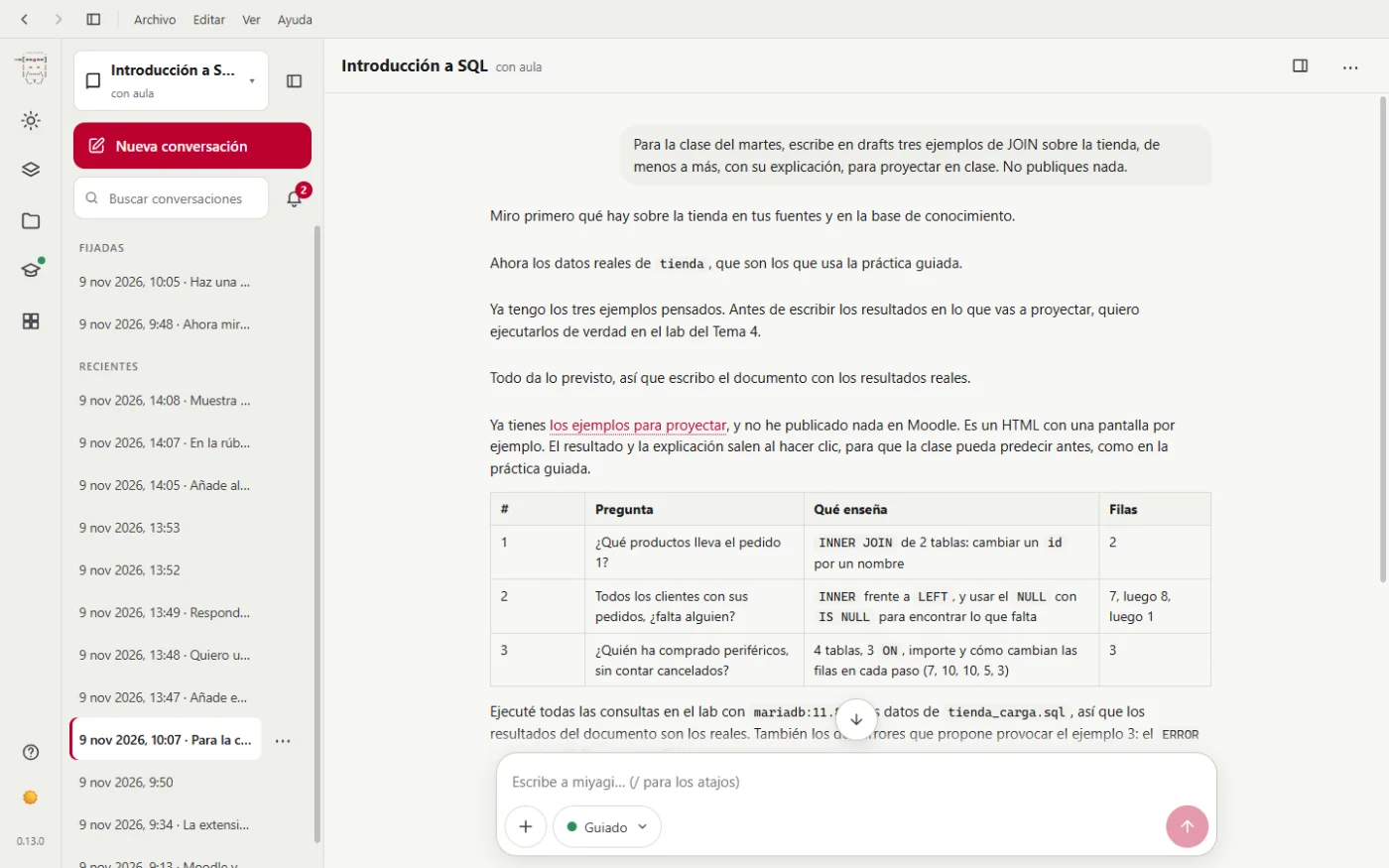
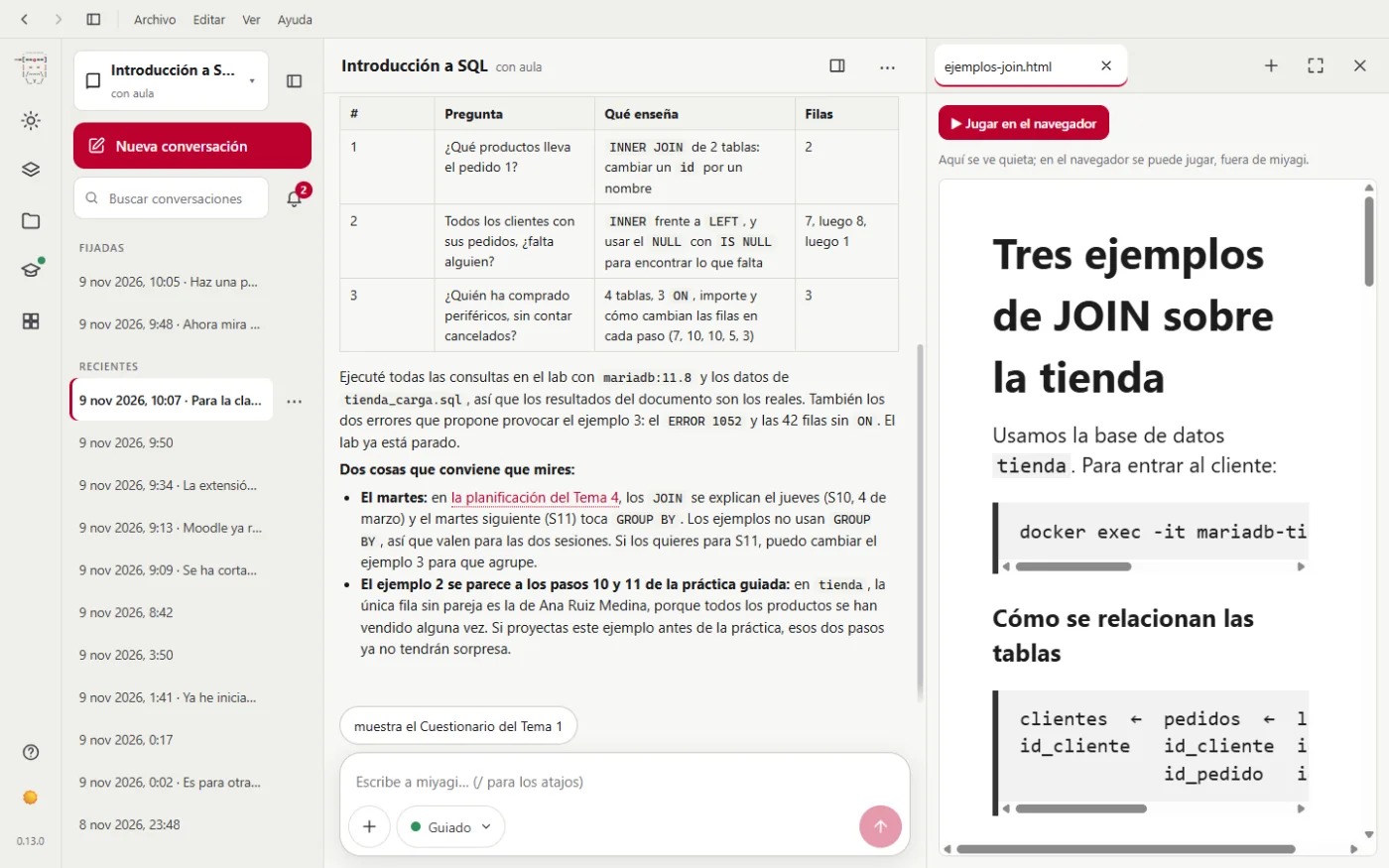
And it asks a sensible question: according to the calendar, JOIN is explained on Thursday, not Tuesday. The examples work for both sessions, but it tells you.
A skill teaches it how to do something with what it already has. It doesn't give it new tools or let it skip approvals. What applies to the whole course, in every task ("grade out of 10"), is better in instructions.md: it's explained in Shortcuts and instructions.
And that's all
From an empty course to a complete Introduction to SQL classroom: teaching plan, four units with notes, practicals tested in Docker, exercises with rubrics, quizzes, a graded final project, a forum looked after, a follow-up, an audit and a course guide. Everything the students saw first went through an approval panel. And you also saw what failed: the browser dropping, the quizzes left half-way, and that to grade files, today, you have to be the bridge yourself.
To do it in your course, start with Install and The desktop app.