3. The teaching plan
Ingestion turned the syllabus into the course's teaching plan, but some things were missing: assessment criteria, a calendar and attention to diversity. We use the teaching plan shortcut and tell it what we want, answering its questions along the way:
/miyagi:teaching-plan Review the teaching plan you got from my syllabus and complete it with whatever is missing: assessment criteria, a calendar for the 6 weeks (we start on Monday 5 October) and attention to diversity. I apply the late penalty by hand when grading. The sessions are on Tuesdays and Thursdays, 1.5 hours each. In "Correct results" a 2 or a 4 are intermediate states, at your discretion. Late submissions are accepted up to one week after the deadline. The quizzes all weigh the same, and so do the exercises. For O1, add a light pass/fail deliverable to Unit 1, outside the 100%: a screenshot of their container running with the tienda database created.
What only you decide
It writes what's missing and makes a note of what isn't its place to decide. Since the date of 5 October had already passed, we ask it for a calendar for another edition:
It's for another edition: we start on Monday 1 February 2027, recalculate the calendar with that date and take the national holidays as correct. One exercise per unit, 15% each, in Units 2 and 3. Late submission doesn't apply to quizzes. The criteria are fine as they are. A fail is corrected and checked again, with no effect on the grade. No minimum grade for now. The rest, as you propose.
It recalculates and tells you what's still up in the air: that Tuesday 9 February is Shrove Tuesday and coincides with a session and with the deliverable's deadline, that the end of late submission for the final project falls in Holy Week, and that the resit and the closing of the grade records are still not set.
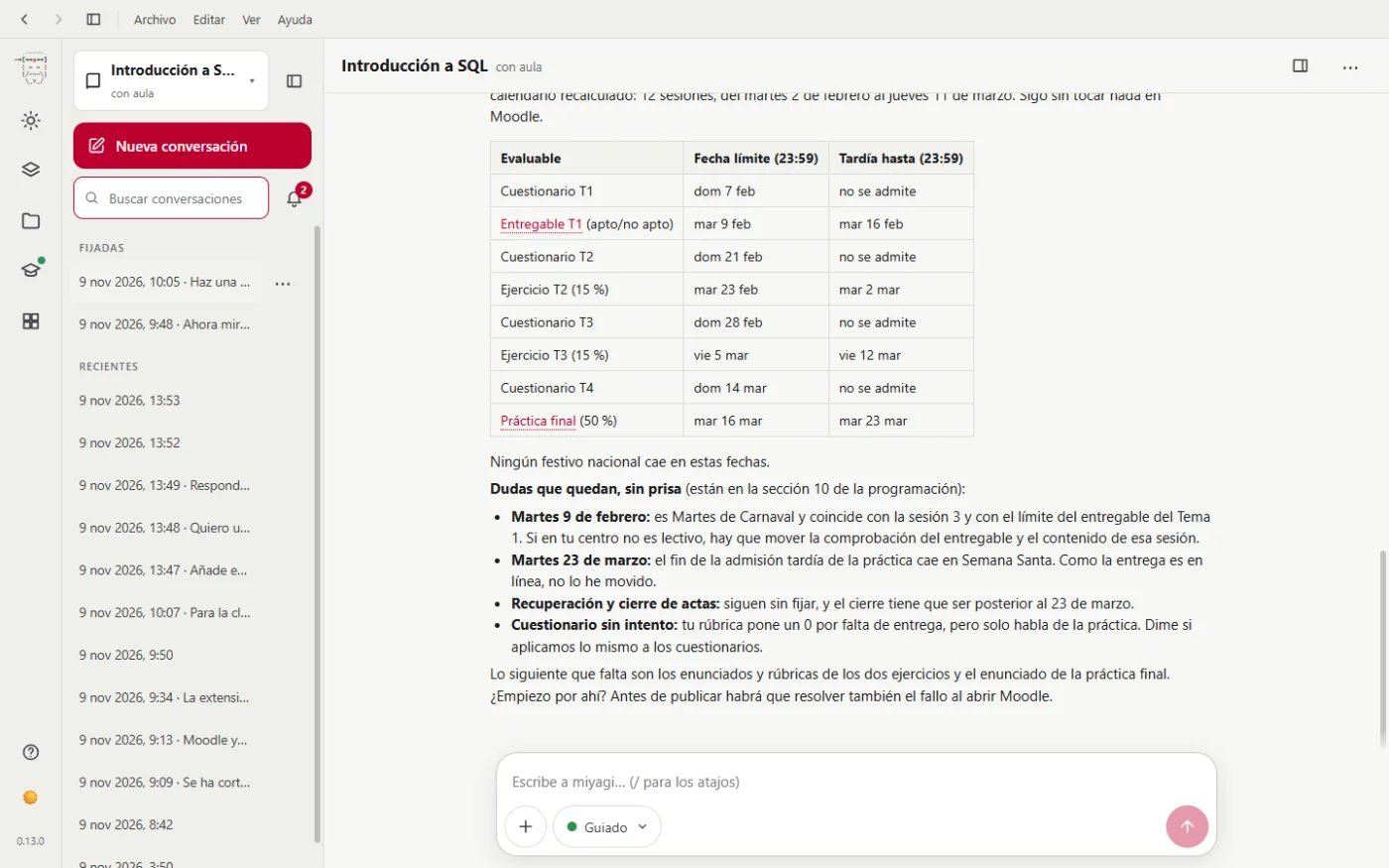
The teaching plan lives in the course's memory, on your computer. It isn't uploaded to Moodle unless you ask for it. What it does do is use it to build each unit and, later on, to check that the classroom still matches it (/miyagi:align).
Seeing it
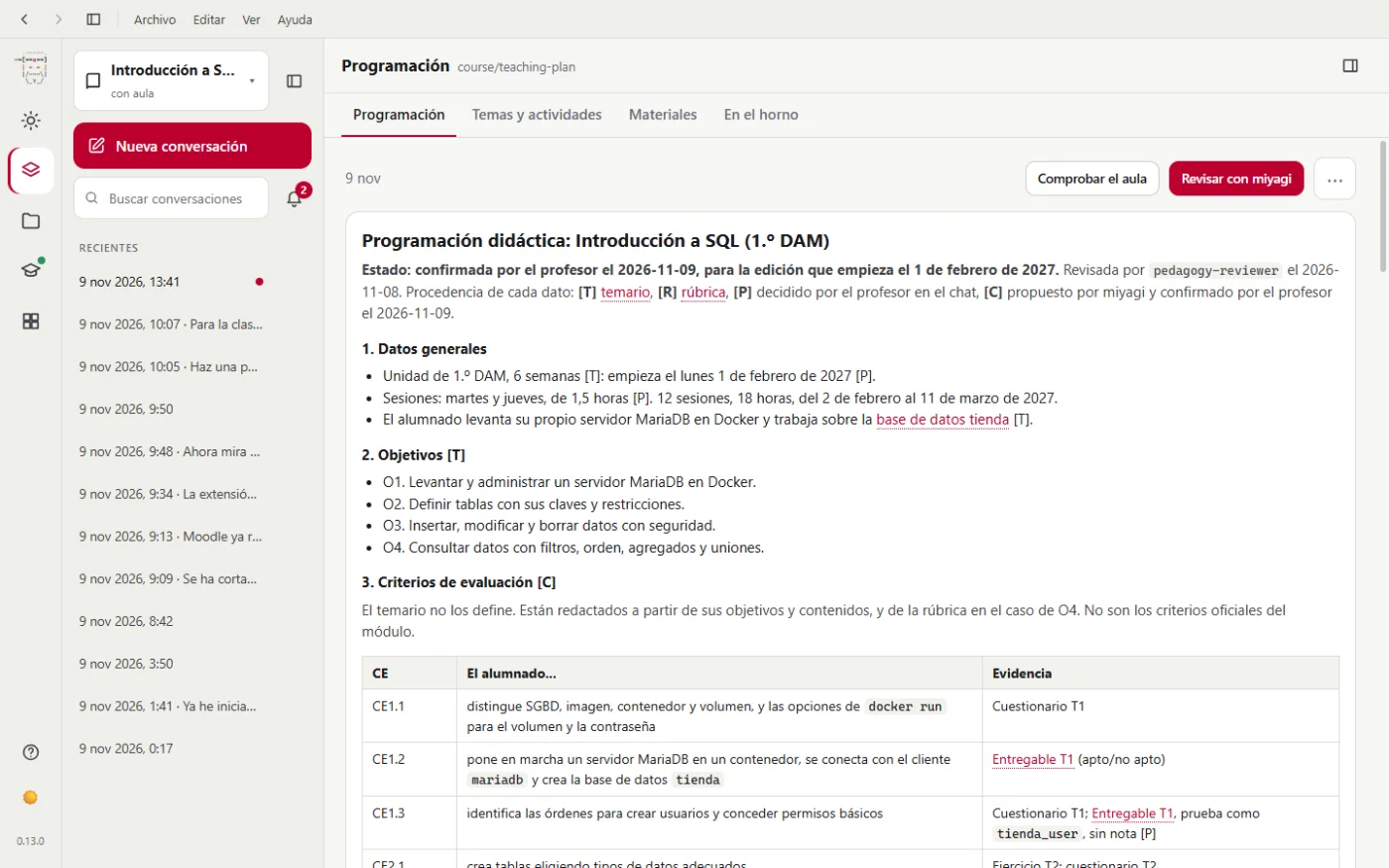
In the Subject view, Teaching plan tab, it's there just as it was left, with Review with miyagi and Check the classroom:
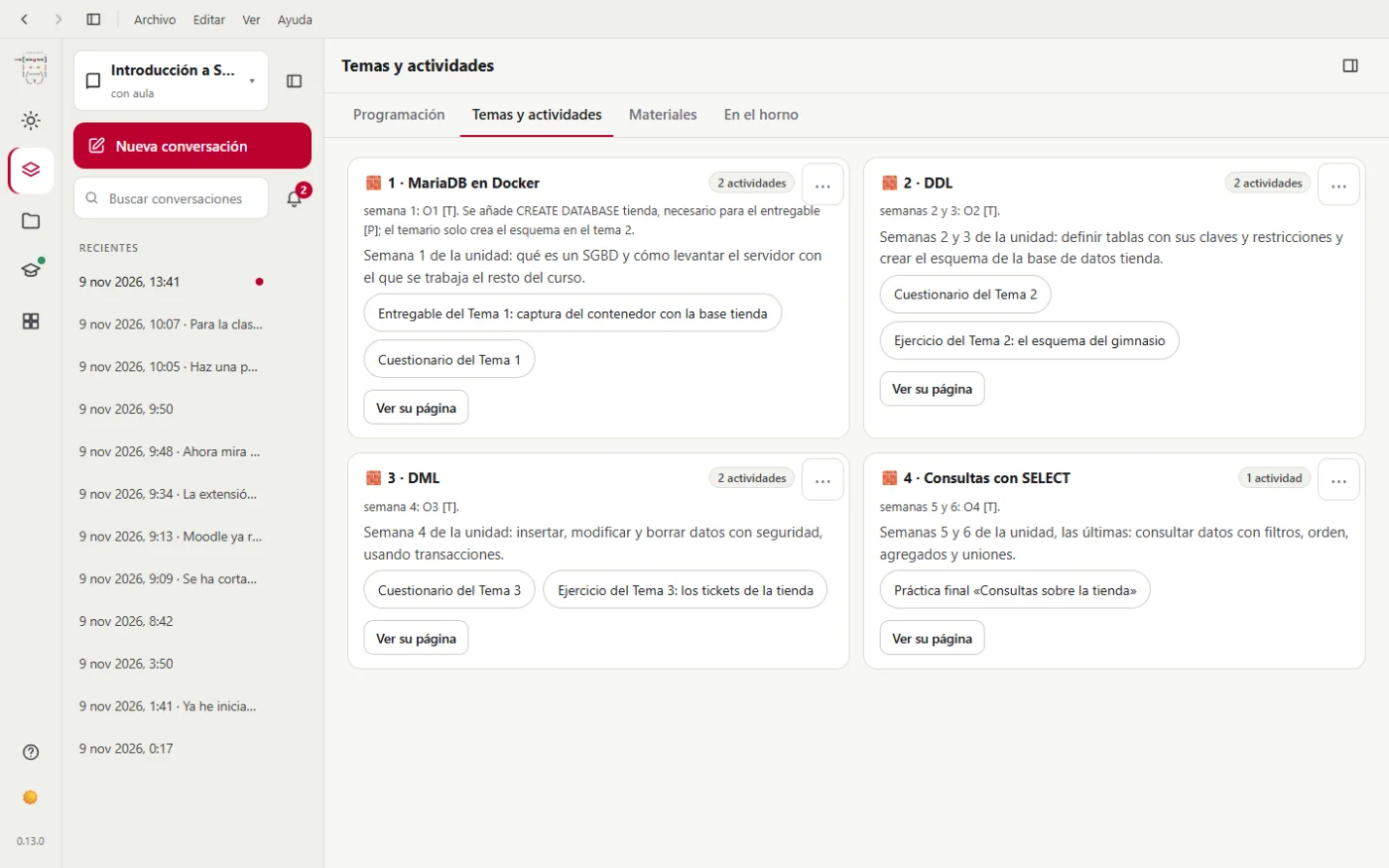
And in Topics and activities, the four units it has just planned:
Next step: Unit 1.