6. Unit 4 and the final project
The last unit is the one that counts most: queries with SELECT and the final project, worth 50% of the grade. We ask for it all at once, hidden until it's been reviewed:
/miyagi:build-unit Unit 4: Querying with SELECT, following the teaching plan (filters, ordering, aggregates with GROUP BY and HAVING, INNER and LEFT JOIN), with the quiz and the Práctica final "Consultas sobre la tienda": an assignment with a single file consultas.sql and the rubric I left you in sources, with a script of the shop's data so everyone queries the same thing. Test everything in Docker. And create in the General section a "Foro de dudas" for the whole course. Adjust the gradebook's weights: 20% the four quizzes, 15% each exercise (Unit 2 and Unit 3) and 50% the final project; the Unit 1 deliverable doesn't count. All hidden until you've reviewed it and asked my permission to show it.
It tests the queries in a lab against the shop's data before writing the instructions. It asks you two questions, about the rubric and about how to approach authorship in a project worth half the grade.
When it gets cut off
This request didn't go through in one go. The connection dropped, and the Moodle browser closed again. All it took was telling it where to carry on:
The connection dropped while the reviewer was finishing. Carry on building Unit 4 where you left off, with the same request: notes, quiz, Práctica final, Foro de dudas and gradebook weights, all hidden.
It picked up the unit's plan from its memory and published Unit 4 hidden. It also completed, with your permission, the quizzes for Units 1 and 2 that had been left half-way. The weights, with their own approval, ended up as: 5% each quiz, 15% each exercise, 50% the final project and 0% the Unit 1 deliverable.
The final project
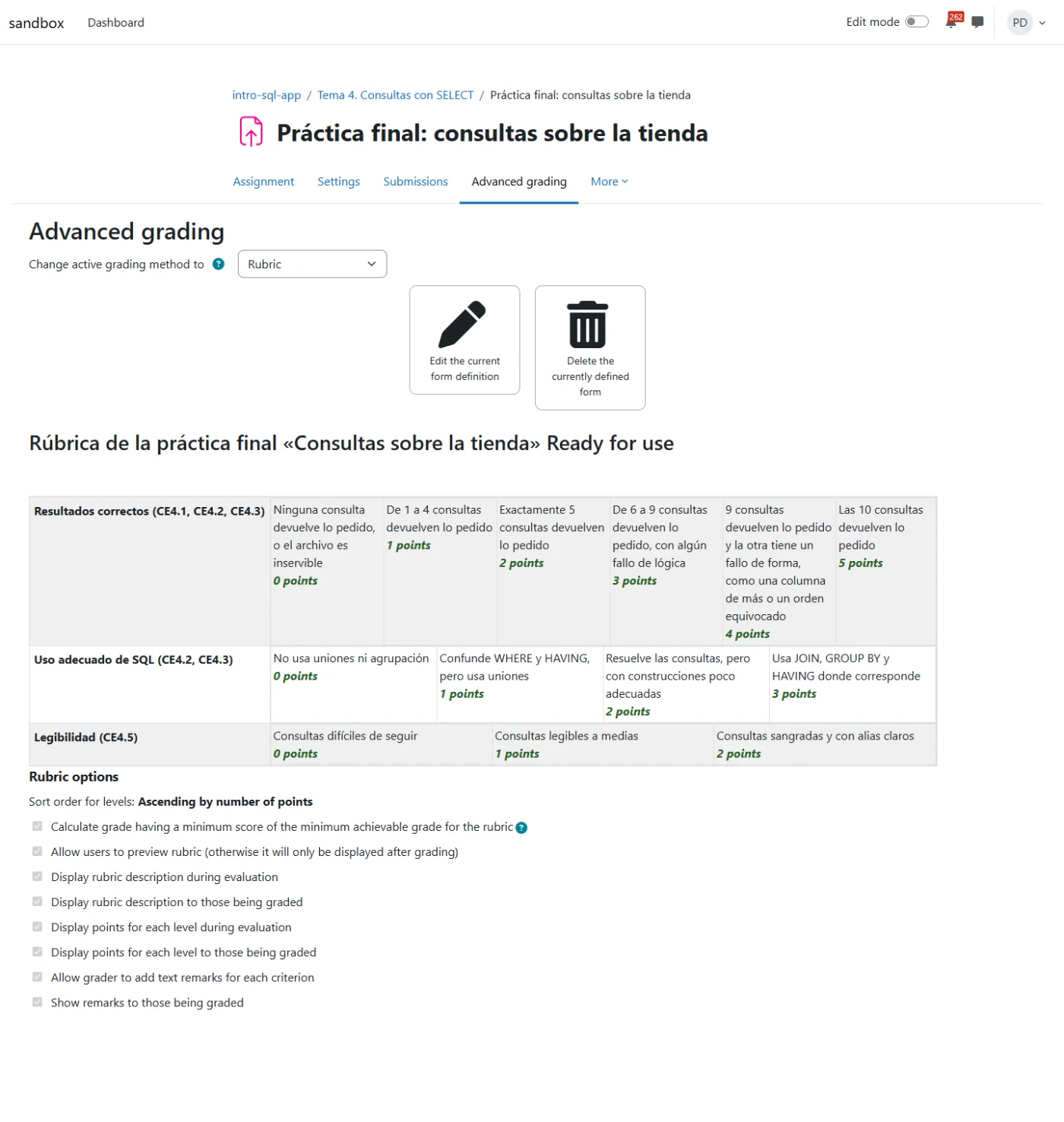
The assignment has a single file, consultas.sql, with 10 queries on tienda_practica. We put the rubric in Sources, and miyagi turned it into a Moodle rubric: correct results (5 points), appropriate use of SQL (3) and readability (2).
Showing it to the students
We review the course ourselves and tell it:
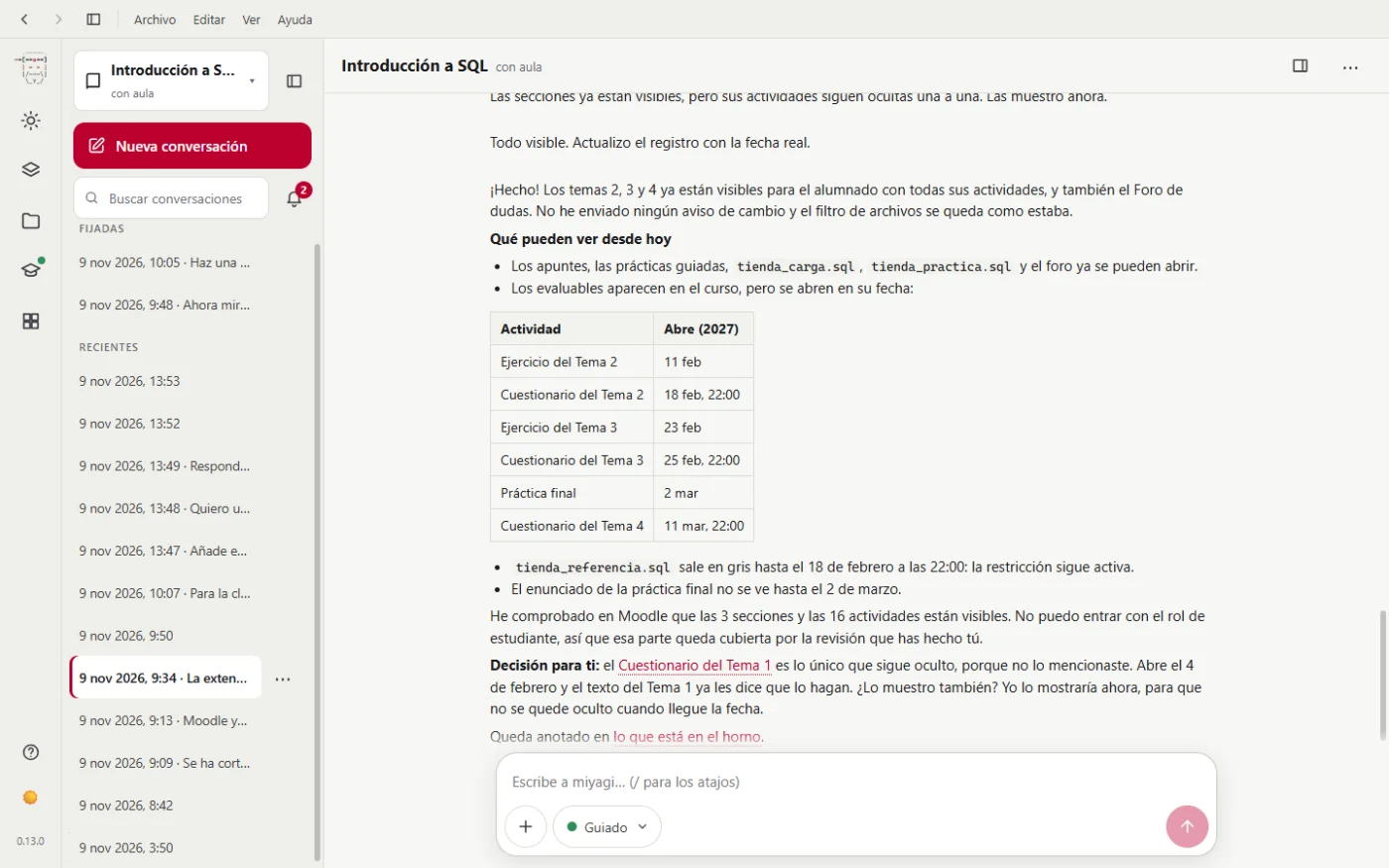
I've reviewed it and it's fine. Show the students Units 2, 3 and 4 with all their activities, and also the Foro de dudas. Leave the file type filter as it is.
It asks permission just once, listing the 3 sections and the 16 activities. It says it only changes visibility and doesn't notify anyone. The graded items appear in the course, but open on their date.
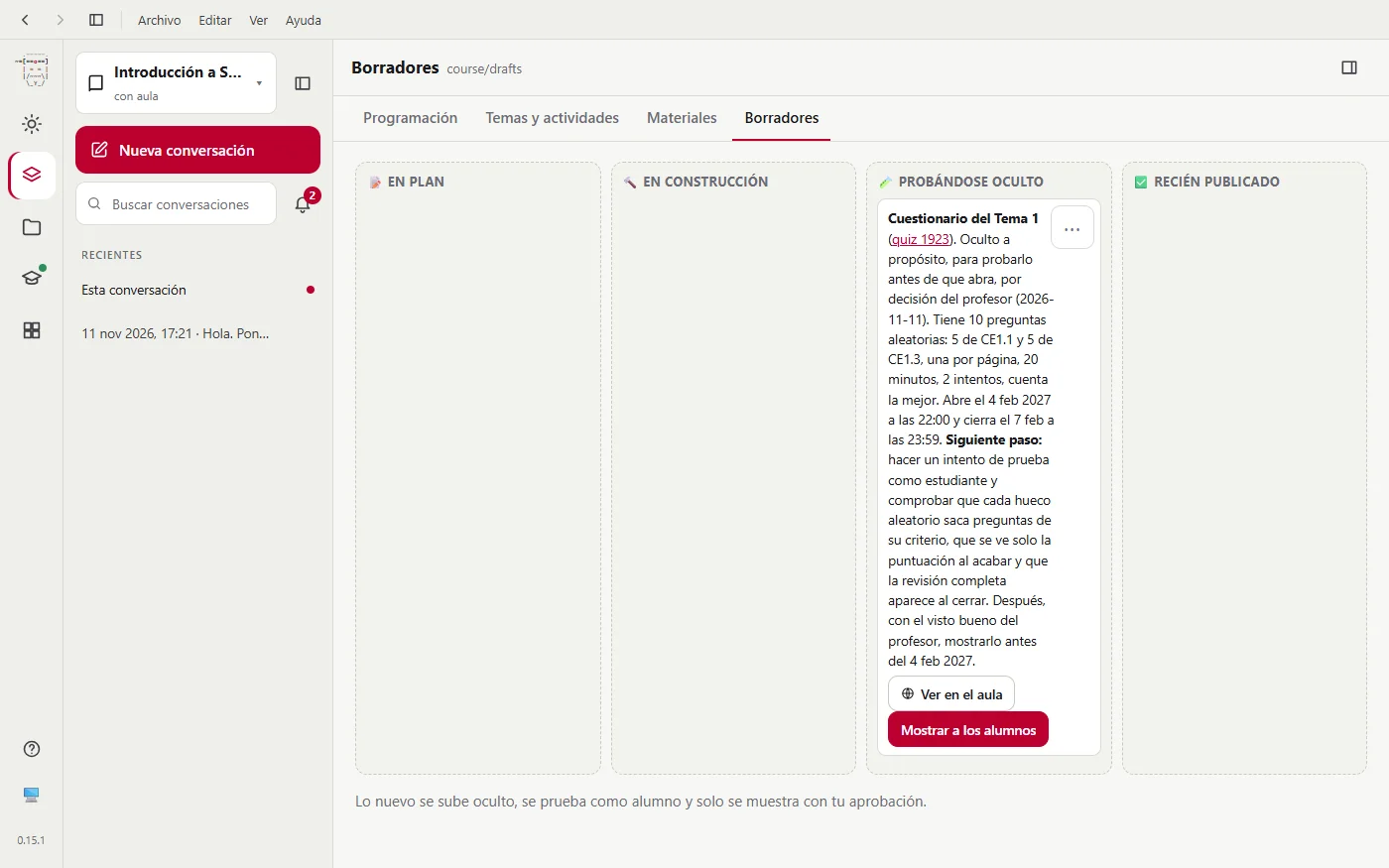
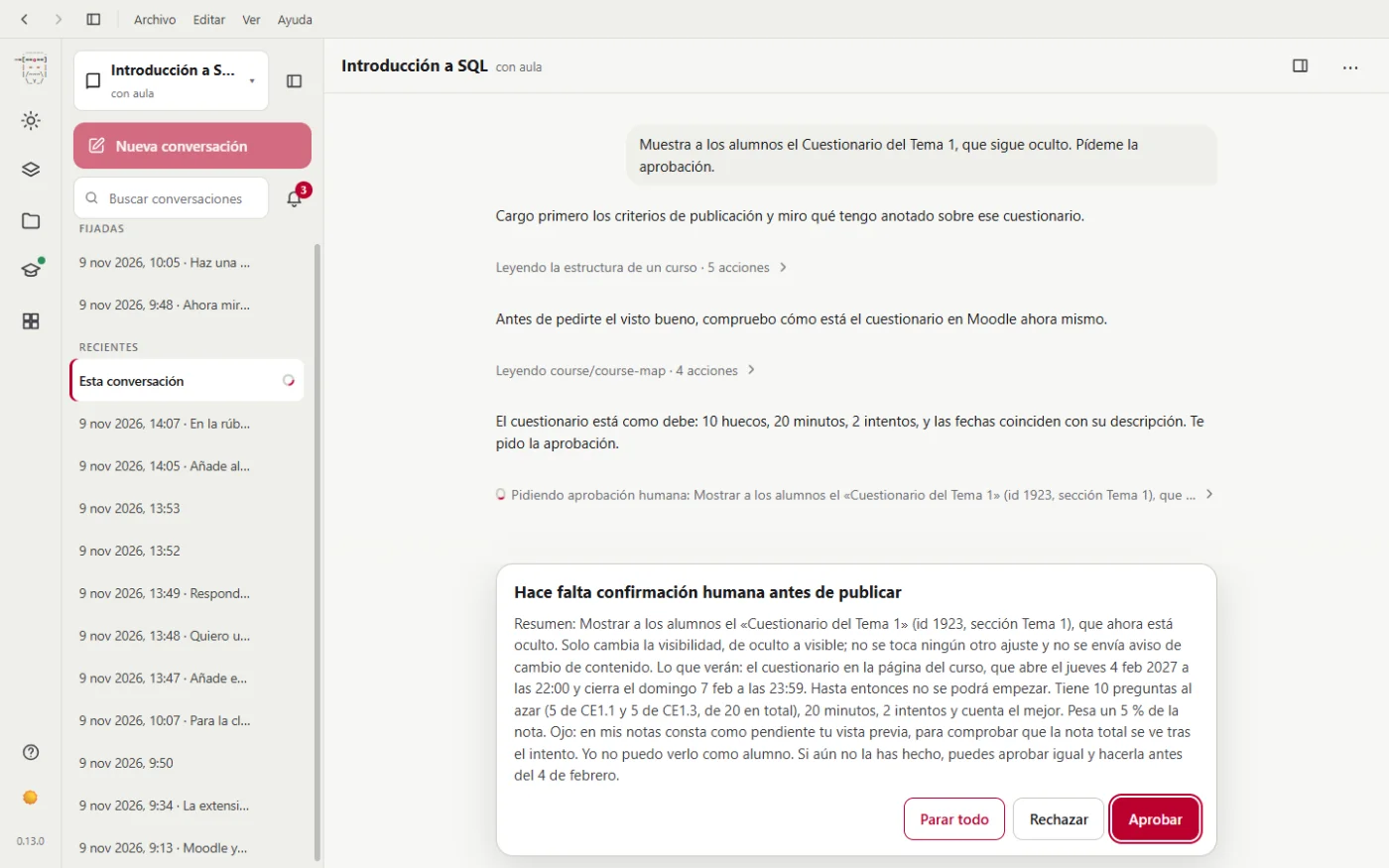
The only thing still hidden is the Unit 1 quiz, because we didn't mention it, and miyagi reminds you of it. It stays in Drafts, with a button to show it:
The course, finished
This is how the complete course ends up:
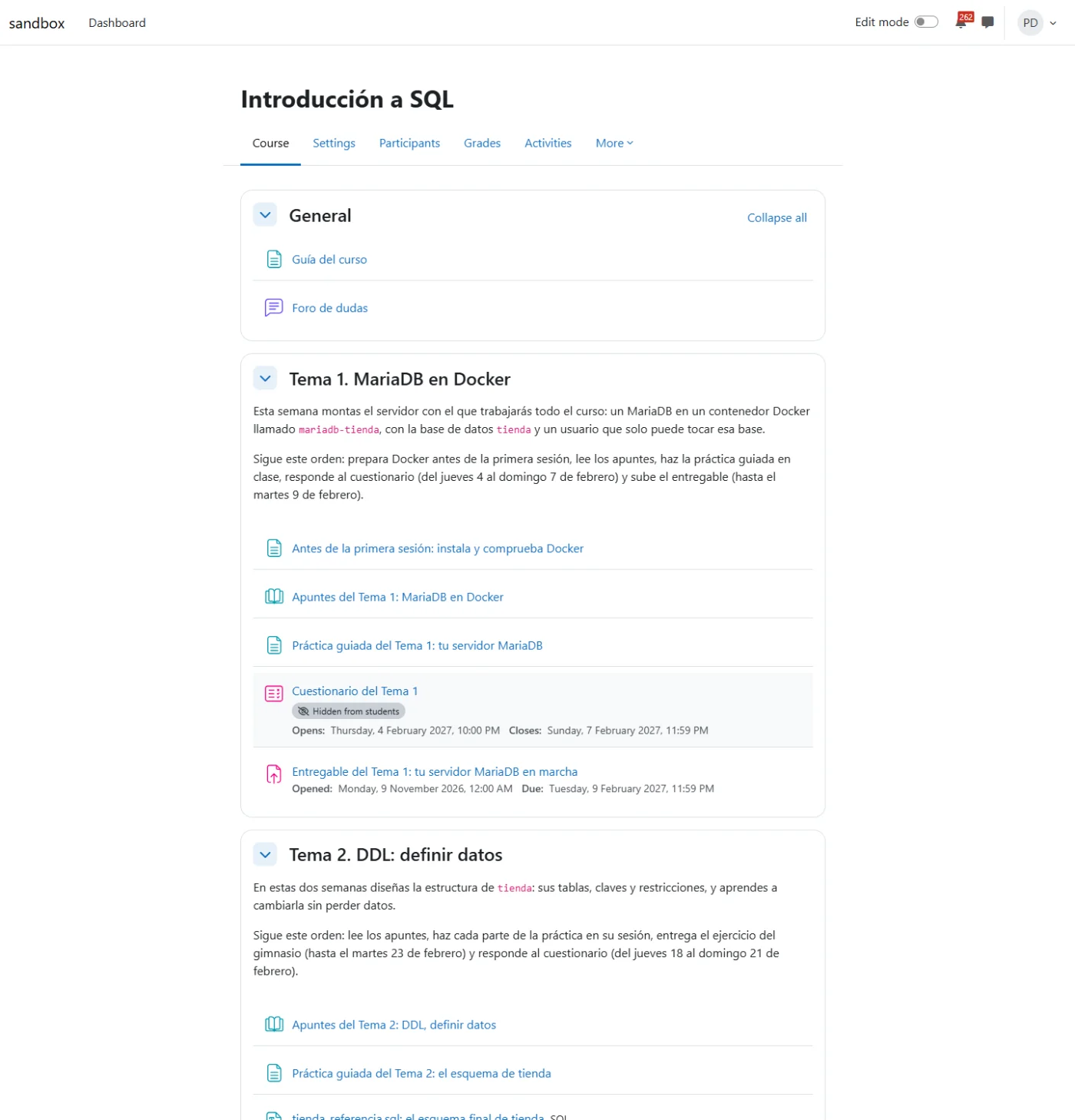
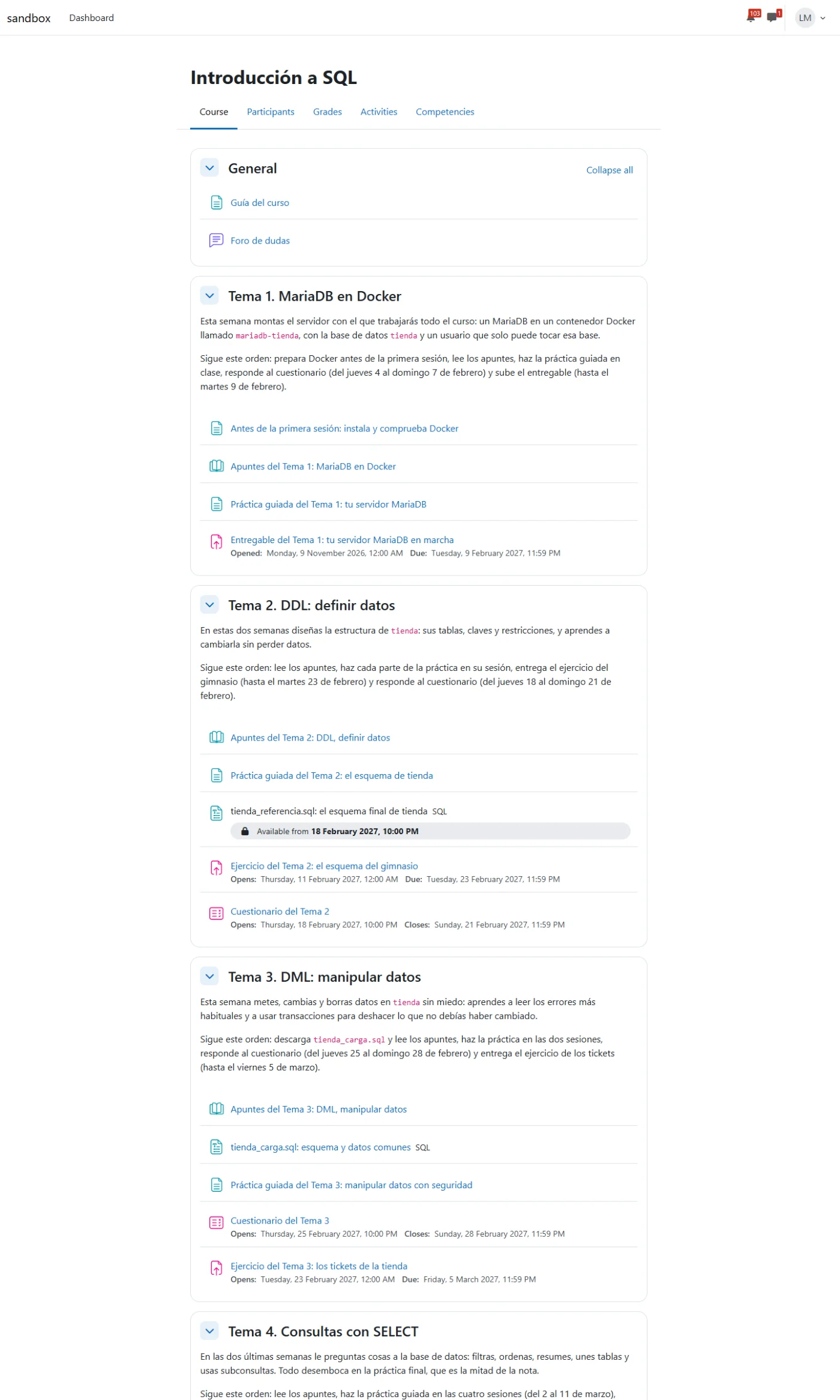
The final project opens in March 2027. So that we could carry on with the grading, in the test Moodle we moved its dates: three test students submitted and we treated the deadline as passed. In step 9 we put it back on its real dates.
Next step: grading with the rubric.