9. Follow-up and audit
How the class is doing
With the first grades in, we ask it about the class with the follow-up shortcut:
/miyagi:progress
It looks at the gradebook and the activity summary, and separates what's data from what's its interpretation. It also detects that the final project's dates don't match, a side effect of having brought them forward for the tutorial:
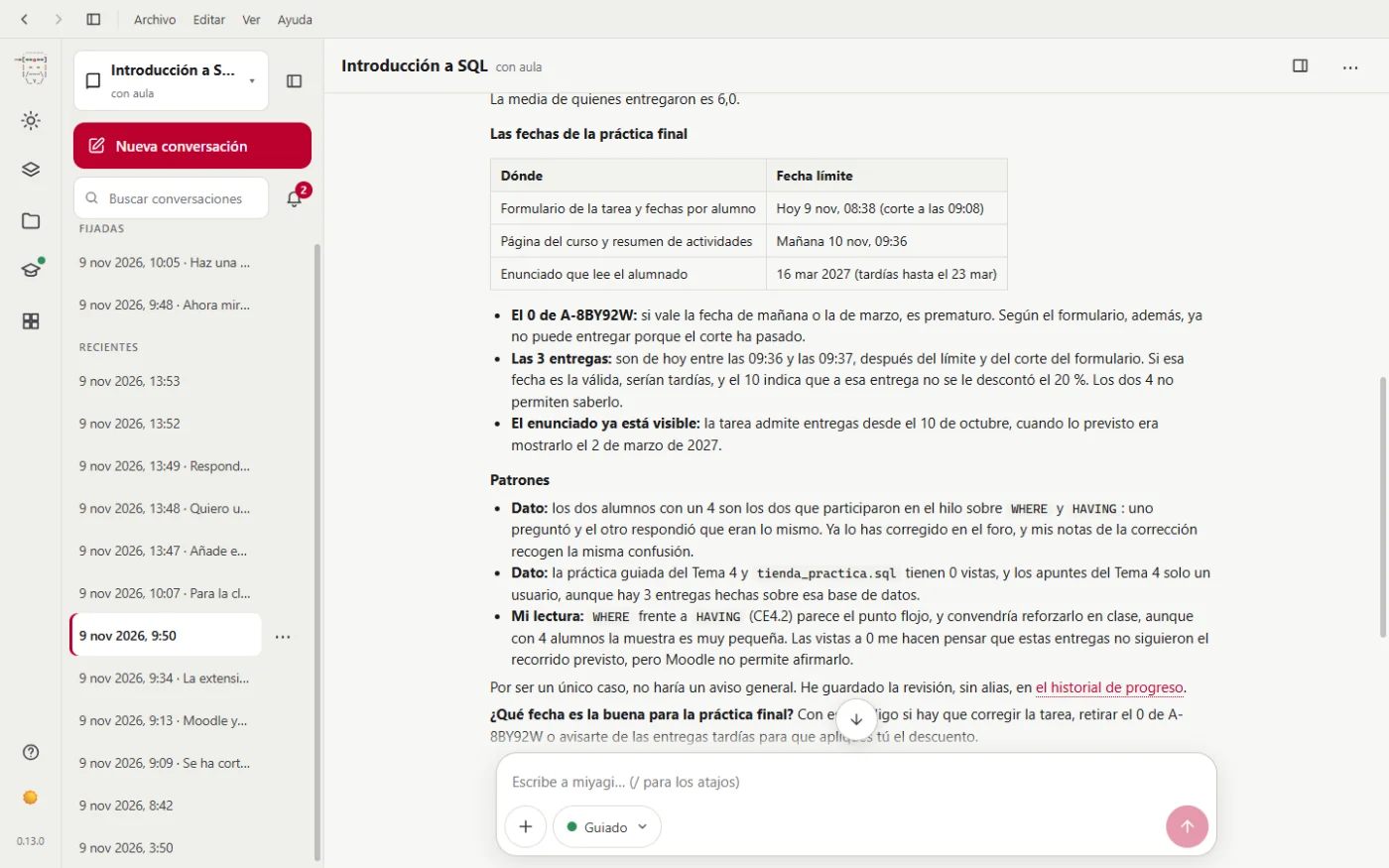
Two details matter here:
- It doesn't post notices on its own. Since it's a single case, it sees no reason to write to the class.
- It doesn't keep student records. The review stays in its memory with no aliases or names, to compare with the next one.
It points out that the two students with a 4 are the ones in the thread about WHERE and HAVING, and says that "with 4 students the sample is very small".
Auditing the whole course
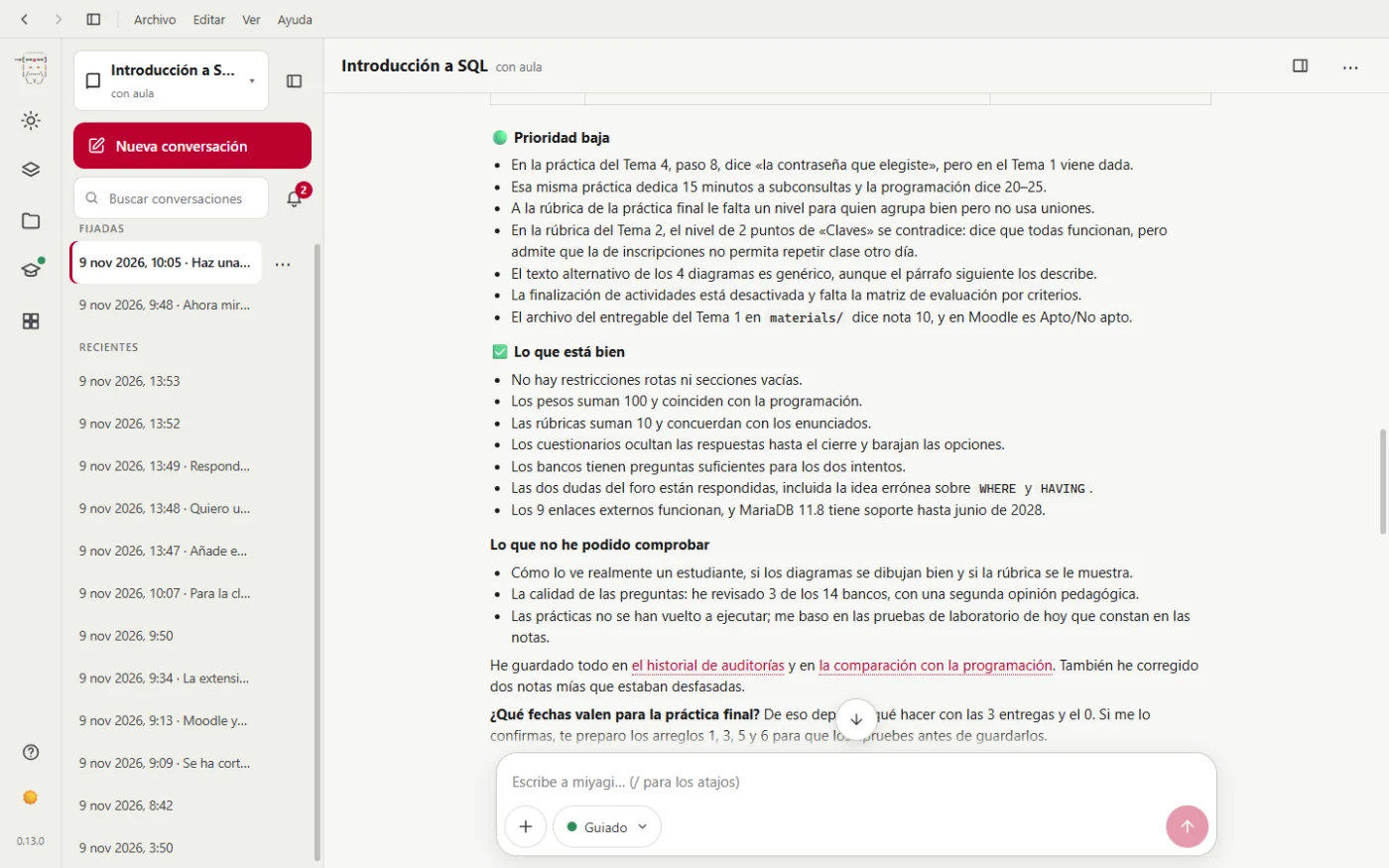
/miyagi:audit
It goes through the course without changing anything (organization, dates, assessment, accessibility, pedagogy) and returns the recommendations by priority. And it says what it hasn't been able to check: how a student really sees it, that it has only reviewed 3 of the 14 question banks and that it hasn't run the practicals again.
Applying a recommendation
We pick the one most visible to the students:
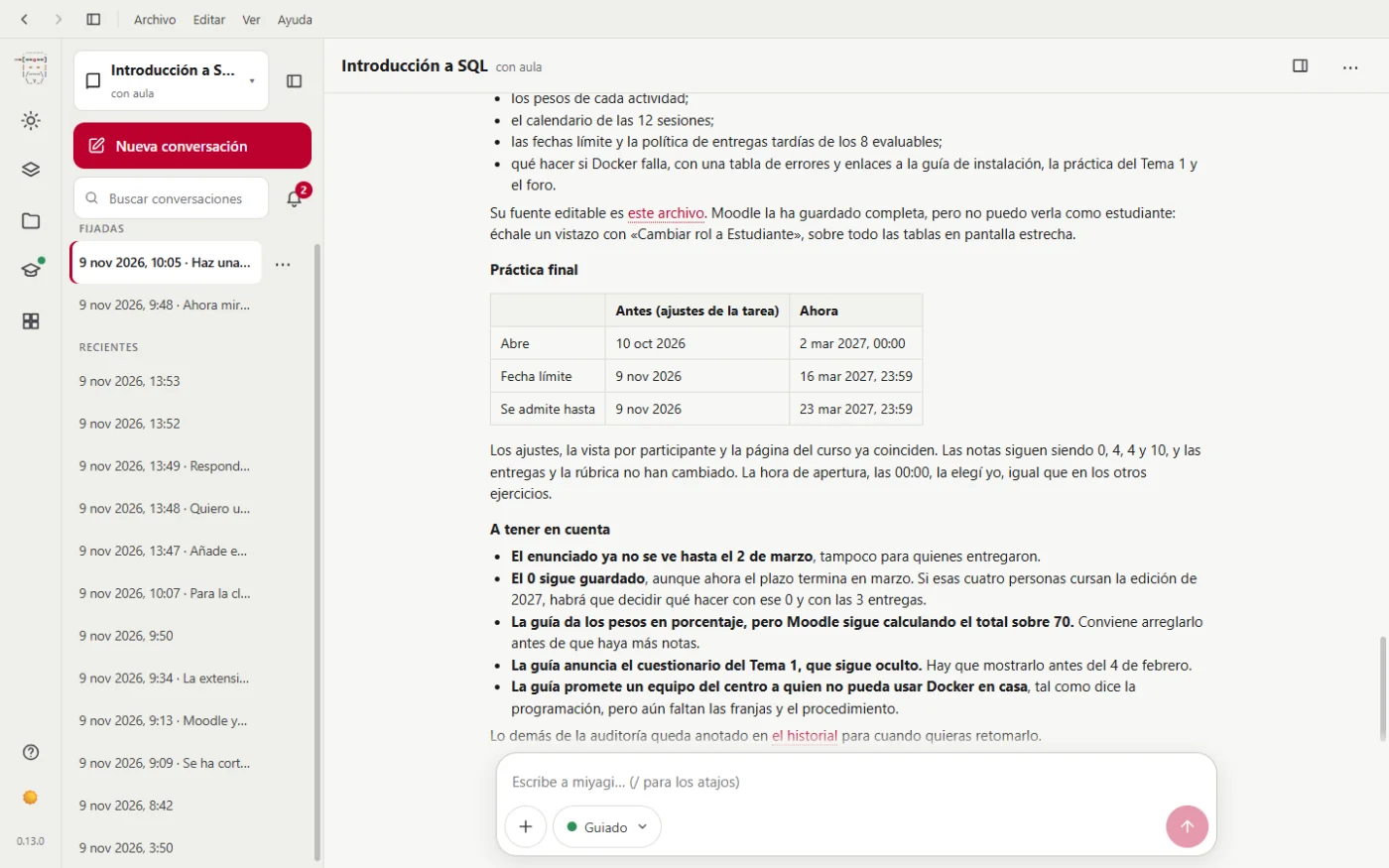
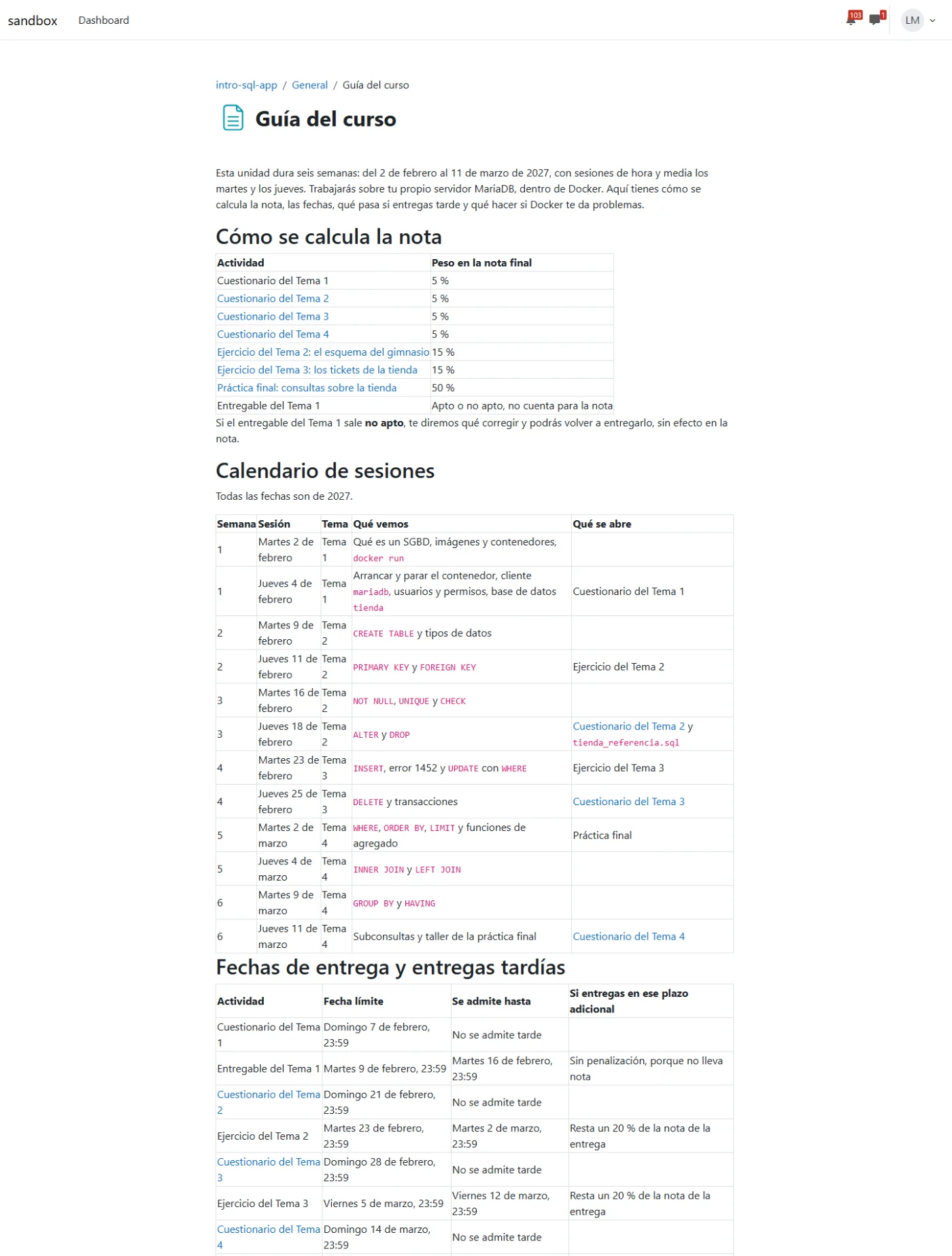
Make a "Guía del curso" page in General with the weights, the calendar, the late submission policy for all assignments and what to do if Docker doesn't work, and show it. Put the final project back on the dates in the teaching plan, without touching the grades. We'll see to the rest another day.
It creates it hidden, asks your permission, shows it with another permission and changes the dates with another. And it warns you of what you have to decide: the guide announces the Unit 1 quiz, which is still hidden; it promises a school computer for anyone who can't use Docker at home, with no procedure yet; and it gives the weights as percentages, although Moodle still calculates the total out of 70.
This is how the students see it:
The audit and the progress review stay in its memory with their date, so next time it will tell you what has changed.
Next step: your own skill.